WhatsApp CRM Chennai: How to Manage Every Lead in One Place
WhatsApp CRM Chennai, Lead Management, Sales Operations
WhatsApp CRM Chennai: How to Manage Every Lead in One Place
WhatsApp CRM Chennai: How to Manage Every Lead in One Place is not just a slogan; it is a practical way to run your sales operations with discipline. In this guide, you will see exactly how to centralise all WhatsApp lead conversations, assign them intelligently to your team, track every stage in a clear pipeline, and close more deals from one unified workspace. The focus is operational: concrete steps, daily routines, and simple systems that any Chennai business owner can put in place without becoming a tech expert.
The Chaos of Managing Leads Across Multiple WhatsApp Numbers and Staff
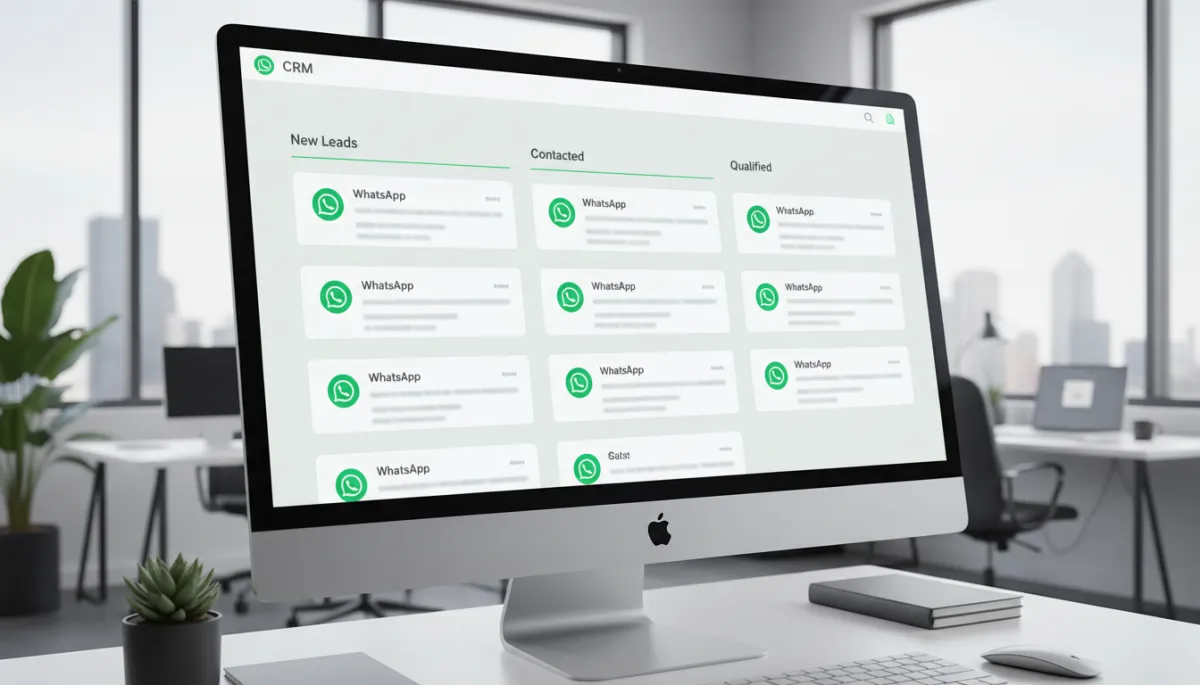
If you run a Chennai business today, there is a high chance that most of your leads come through WhatsApp. One number for ads, another for service, one personal number that old customers still use, and your sales staff using their own phones. Very quickly, you are dealing with four or five WhatsApp numbers, all active, all messy, and no single place where you can see what is happening with each lead.
Our clients in Chennai tell us the same story again and again: one staff member promises to call back a lead, another person replies from a different number, and the owner has no idea which conversations are still open. Salesforce reports that sales teams waste 27% of their time just searching for lead information scattered across tools and chats (Salesforce, 2023). On WhatsApp, that “search” time becomes scrolling through old chats, forwarding screenshots, and asking, “Who spoke to this person last week?”
The cost of this chaos is real. The CRISIL SME Report (2023) estimates that Indian SMEs lose an average of ₹8.4 lakhs per year from poor lead tracking and missed follow-ups. When you combine that with the fact that WhatsApp as a CRM channel in India sees 3.5x higher engagement than email (Kaleyra India Business Messaging Report, 2023), you realise that every missed WhatsApp follow-up is a very expensive mistake, not a small issue.
A Sholinganallur IT services company was managing 200+ WhatsApp leads across four staff members with no CRM. Everyone replied from their own phones, and the owner only saw partial screenshots in a group. After implementing RevMax’s WhatsApp CRM, they reduced lost leads by 73% in the first 30 days. Nothing magical happened; they simply brought every chat into one structured system and followed it daily. That is what this article will show you how to do.
What “Managing Leads in One Place” Actually Means with WhatsApp CRM
When we say “manage every lead in one place,” we are not talking about another spreadsheet or a simple WhatsApp group. We are talking about a centralised WhatsApp inbox connected to a CRM, where every conversation becomes a trackable lead with an owner, a stage, and a next action. Platforms like RevMax’s WhatsApp automation workspace for Chennai bring all your WhatsApp Business API numbers into a single, shared dashboard that your whole team can use together.
In a proper WhatsApp CRM Chennai setup, “one place” means:
- Every incoming WhatsApp message automatically creates or updates a lead record with full chat history, tags, and contact details.
- All conversations sit in a shared team inbox, not on individual phones, so any authorised staff member can see and reply with context.
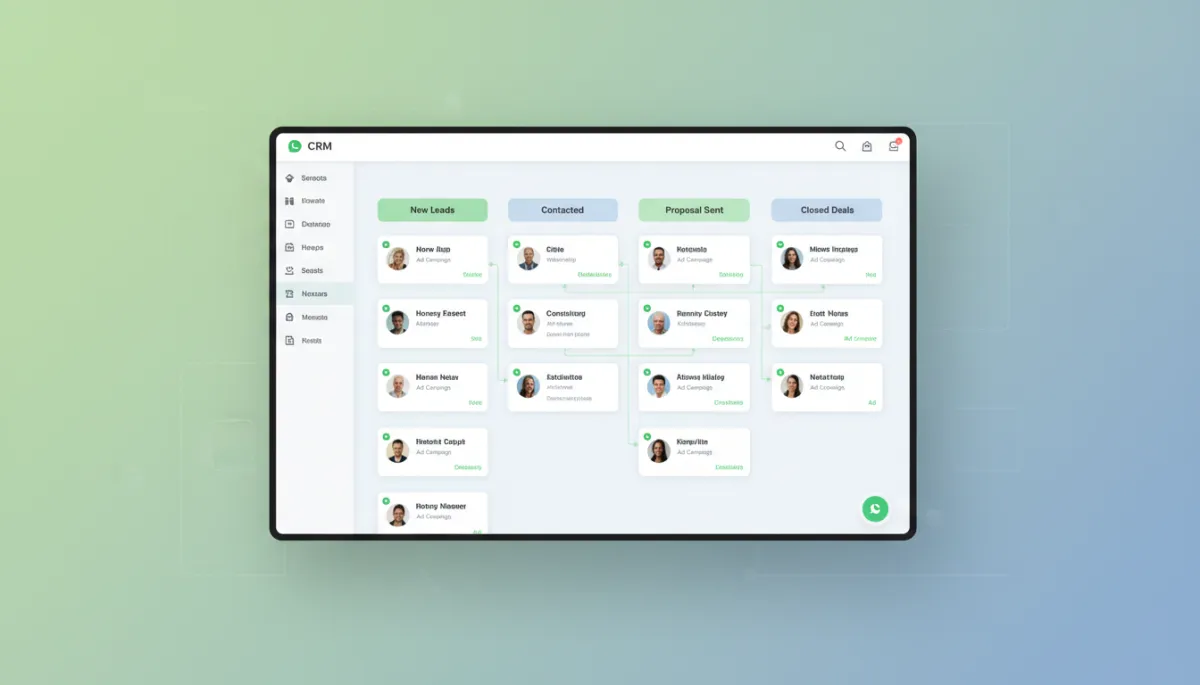
- Each lead is visible on a WhatsApp CRM pipeline – a Kanban-style board with stages like New, Contacted, Qualified, Proposal Sent, Won, and Lost.
- Leads are tagged and segmented by source (Meta ads, walk-in, website, referral), intent (high, medium, low), and current status, enabling targeted follow-ups and campaigns.
Marketo’s 2023 research shows that companies with well-defined lead management processes generate 133% more revenue than those without. WhatsApp CRM is simply the 2026 version of that discipline, applied to India’s most important messaging channel. Instead of trying to remember who messaged when, you rely on a structured system that shows you exactly where every lead stands at this moment.
Setting Up Your Centralised WhatsApp Lead Management System
Connecting All Your WhatsApp Numbers to One CRM Inbox
The first step is to move from scattered personal and Business App accounts to a structured WhatsApp Business API setup. This allows multiple staff members to share the same numbers in a CRM. Through a provider like RevMax’s WhatsApp automation platform for Chennai, you connect each official business number to a centralised WhatsApp inbox. From that point, no staff member needs to use their personal WhatsApp for leads again.
- Decide which numbers will be “official” for sales, service, and marketing. Keep it simple: one main sales number is ideal if possible.
- Work with your CRM / BSP partner to onboard these numbers to the Business API and link them to your CRM workspace.
- Train your team to stop using personal numbers for leads. All new leads must come into the centralised WhatsApp inbox only.
Zendesk reports that businesses using a unified CRM inbox see a 38% improvement in team response speed and a 45% reduction in duplicate conversations (Zendesk, 2023). In Chennai, where leads often expect a reply in minutes, this alone can shift your monthly revenue numbers significantly.
Creating Lead Stages and a Pipeline View
Next, you configure your WhatsApp CRM pipeline. Think of this as your sales whiteboard, but digital and always current. For most Chennai SMEs, a simple pipeline works best:
- New → Contacted → Qualified → Proposal / Demo → Negotiation → Closed Won → Closed Lost
Our clients in Chennai tell us that the key is clarity, not complexity. Each stage must answer one question: “What has happened with this lead so far?” and “What is the next action?” When every WhatsApp lead is a card on this pipeline, you can see exactly how many are stuck, how many are moving, and where to focus your day.
Setting Up Lead Assignment Rules for Your Team
Once your centralised WhatsApp inbox is live, you decide who handles which leads. In a WhatsApp CRM, this is handled through assignment rules:
- Round-robin: New leads are automatically assigned one by one to each available sales rep.
- Source-based: Leads from Meta ads go to one sub-team; website leads go to another; high-value referrals go to a senior closer.
- Region or product-based: For example, South Chennai leads to one rep, North Chennai to another; or software vs. training products to different specialists.
The goal is simple: no unowned leads. Every WhatsApp conversation in your CRM must show a clear owner, so you can ask, “What is happening with this lead?” and get a specific answer. This also supports the 71% of customers who expect companies to collaborate internally on their behalf (Salesforce State of the Connected Customer, 2023). With clear ownership, collaboration becomes structured instead of chaotic.
Tagging and Segmenting Leads by Source, Intent, and Stage
Tagging is the difference between a basic WhatsApp inbox and a true lead management WhatsApp Chennai system. Each lead should carry simple, meaningful tags:
- Source: “Meta-ads”, “Google-ads”, “Walk-in”, “Referral”, “Website-form”.
- Intent: “Hot” (ready to buy this week), “Warm”, “Cold”.
- Segment: industry (IT, education, real estate), ticket size, or product interest.
HubSpot’s 2023 data shows that lead tagging and segmentation improve campaign response rates by 39%. In WhatsApp CRM, this means your broadcast follow-ups, reminders, and offers can be highly targeted instead of generic. For a deeper look at automation around these tags, explore our complete guide to WhatsApp automation for Chennai businesses.

Clear tags and stages let Chennai owners review WhatsApp leads in minutes, not hours.
Daily Lead Management Workflow for Chennai Business Owners
Morning: Review New Leads and Assign Priority
Businesses that review their lead pipeline daily close 28% more deals than those that review weekly (Sales Management Association, 2023). So start your day inside your WhatsApp CRM pipeline, not inside random WhatsApp chats. A simple 20–30 minute routine is enough:
- Open the New column and confirm that every new WhatsApp conversation has a lead card and an assigned owner.
- Quickly scan each new lead, read the initial chat, and add intent tags (Hot / Warm / Cold) plus any key notes.
- Ensure that hot leads receive a response within minutes, not hours. WhatsApp CRM automation can send an instant acknowledgment while your team prepares a personalised reply.
Our clients in Chennai tell us that when the owner or sales manager spends just 15 minutes every morning inside the CRM instead of chasing screenshots, the whole team’s behaviour changes. Everyone knows the pipeline will be reviewed, so they keep it updated.
Midday: Follow Up with Pipeline Leads
Midday is for movement. The question is: “Which leads can I move one step forward today?” In your WhatsApp CRM Chennai workspace, filter leads by stage and “Last Contacted” date. Focus on:
- Qualified leads that have not been contacted in 24–48 hours.
- Proposal / Demo leads where you are waiting for a decision and need a gentle nudge.
- Hot leads that engaged with your last message but did not confirm next steps.
Here, automation helps. You can schedule follow-up templates or use workflows like those explained in our article on how Chennai businesses cut response times. The goal is to combine human judgment with system reminders so no one forgets to send that “Just checking in” message at the right time.
Evening: Move Deals, Update Stages, Set Next Actions
End the day the same way you started it: inside the pipeline, not inside random chats. This evening routine should take 15–20 minutes and can be done by the owner or sales manager:
- Go column by column and drag each lead card to the correct stage based on today’s activity. No card should be “stuck” without reason.
- For every important lead, set a clear next action and due date: “Call tomorrow at 11 AM,” “Send revised quote Friday,” “Follow up after Diwali.”
- Review “Closed Won” deals and confirm that all necessary onboarding or handover tasks are triggered from the CRM.
When you do this daily, your pipeline becomes a live control panel, not a dead report. It also prepares you to use more advanced automation, as covered in our article on what actually works in 2026 for Chennai businesses.
Using Automation to Keep Your Lead Board Always Up to Date
Manual discipline is powerful, but automation keeps your system running even on your busiest days. In a modern WhatsApp CRM, you can automate:
- Auto-creation of leads: Every new WhatsApp message automatically creates a lead card with source and time stamps.
- Stage updates: When a lead books a demo link or pays an advance, the CRM can automatically move them to the next stage.
- Follow-up reminders: If there is no reply for 24–48 hours, the system can ping the owner or send a gentle WhatsApp template.
Businesses using unified CRM inboxes with automation see faster responses and fewer missed follow-ups. This is especially important because replying to a lead within five minutes can make qualification up to 21x more likely compared to waiting 30 minutes or more (tomba.io, 2026). Our article on 7 ways to save hours every week breaks down specific automation workflows that Chennai businesses are using right now.
Over time, you can even explore AI-based qualification and auto-replies to routine questions. If you are curious about how far this can go, read our analysis of whether AI can replace manual follow-up entirely.
Team Collaboration Features: How WhatsApp CRM Works for Multi-Staff Businesses
In a typical Chennai SME, the owner, one or two salespeople, and maybe a service coordinator all touch the same lead at different times. Without a CRM, this creates confusion, duplicated messages, and unprofessional experiences for the customer. A centralised WhatsApp inbox with collaboration features solves this by making the conversation shared, not private to one device.
- Multiple staff members can see the full WhatsApp chat history, internal notes, and previous actions before replying.
- Internal comments let your team coordinate behind the scenes (“Offer 10% discount if they confirm today”) without the customer seeing those notes.
- Permissions and roles ensure that only authorised users can change stages, send broadcasts, or see sensitive information.
Salesforce’s research shows that 71% of customers expect companies to collaborate internally so they do not have to repeat themselves. With a WhatsApp CRM, when a customer messages at 9 PM and your evening staff replies, they can see the entire context – previous quotes, issues, and notes – and respond intelligently from the same number. No more “Please explain again, I am new to this case.”
For templates, scripts, and checklists on how to run these team workflows, many Chennai owners follow @revenuemasteryconsulting on Instagram and revenue-mastery-consultings on LinkedIn, where we regularly share practical lead management templates and CRM tips.
Reporting and Insights: Knowing Which Leads Are Worth Your Time
Once every lead lives inside your WhatsApp CRM pipeline, you gain something that scattered WhatsApp chats can never give you: clean data. You can see:
- Conversion rate by source – for example, Meta ads vs. Google vs. referrals – so you know where to increase or cut spend.
- Average response time per rep and per channel, helping you coach your team and adjust staffing.
- Stage-wise drop-offs – for example, many leads moving from Qualified to Proposal but not to Won – showing where your sales process needs attention.
Companies with structured lead management processes already see 133% more revenue (Marketo, 2023). When you combine that discipline with the 3.5x engagement advantage of WhatsApp in India, you get a powerful engine for predictable growth. Over time, you will clearly see which leads are truly “hot” and which ones are just noise, allowing you to focus your team’s time where it actually pays off.
This is also where advanced automation and campaigns come in. With good data, you can design segmented WhatsApp campaigns that grow without manual follow-ups, targeting only the segments that respond best instead of blasting everyone blindly.
Frequently Asked Questions
1. Can multiple sales team members see and reply to the same WhatsApp lead in a CRM?
Yes. That is one of the main reasons to use a centralised WhatsApp inbox. In a WhatsApp CRM, all authorised team members can see the full chat history, internal notes, and lead details. You can still have one “owner” for accountability, but others can step in to reply when needed, with full context. This removes dependency on any one person’s phone and ensures 24/7 coverage if you choose to operate that way.
2. How do I move a lead from “New” to “Closed” in a WhatsApp CRM pipeline?
Operationally, you simply drag and drop the lead card across stages in your WhatsApp CRM pipeline as real actions happen. For example: when a new enquiry arrives, it sits in New. After your first meaningful conversation, you move it to Contacted. Once you confirm budget and fit, it becomes Qualified. After you share a proposal or demo link, it moves to Proposal / Demo. When they confirm and pay, you move it to Closed Won. If they clearly say no or go silent after multiple attempts, you move it to Closed Lost with a reason. Over time, you can automate some of these moves based on actions like payment or booking links.
3. Does WhatsApp CRM show me which leads are hot vs cold?
Yes. You can combine manual tagging with automated signals. Your team can tag leads as Hot, Warm, or Cold based on conversation quality, budget, and timeline. At the same time, the CRM can track engagement: how quickly they reply, whether they click links, how many messages they exchange. Together, this gives you a clear view of which leads deserve immediate attention and which can be nurtured through automated sequences instead of manual effort.
4. Can I use WhatsApp CRM for both inbound and outbound lead management?
Absolutely. Inbound leads come from ads, website forms, and referrals messaging your WhatsApp numbers. Outbound leads can come from your own prospecting lists, events, or old databases. With a WhatsApp CRM, you can run compliant, template-based outreach to these lists, track replies, and manage them in the same pipeline as inbound leads. This is especially powerful when combined with structured automation, as explained in our complete WhatsApp CRM setup guide.
5. Is there a mobile app for managing WhatsApp CRM leads on the go?
Most modern WhatsApp CRM platforms offer a mobile-friendly interface or dedicated apps. This lets owners and sales reps in Chennai check the pipeline, respond to leads, and update stages directly from their phones without needing to open multiple WhatsApp accounts. The key advantage is that all activity still flows through the centralised WhatsApp inbox, so you maintain full visibility and control, even when your team is on the move visiting clients.
Get Every Lead Under Control (CTA)
As a Chennai business owner, you do not need more leads; you need control over the leads you already have. Scattered WhatsApp numbers, personal phones, and untracked chats are quietly leaking revenue every month. A WhatsApp CRM gives you one clear pipeline, one shared inbox, and one disciplined daily routine that your whole team can follow. From there, you can layer in automation, AI, and campaigns to scale without extra chaos.
If you want a practical, Chennai-focused starting point, bring all your WhatsApp numbers into a single, structured workspace using RevMax’s WhatsApp automation and CRM hub for Chennai. Set up your pipeline, assignment rules, and tags, and follow the morning–midday–evening routines outlined in this article for 30 days. Our clients in Chennai tell us that once they see every lead in one place, they never want to go back to the old way.
Bring all your Chennai leads into one place, stop losing revenue to missed follow-ups, and build a calm, systematic sales operation around WhatsApp. Start now at https://studio.revmaxapp.com/whatsapp-automation-chennai.


