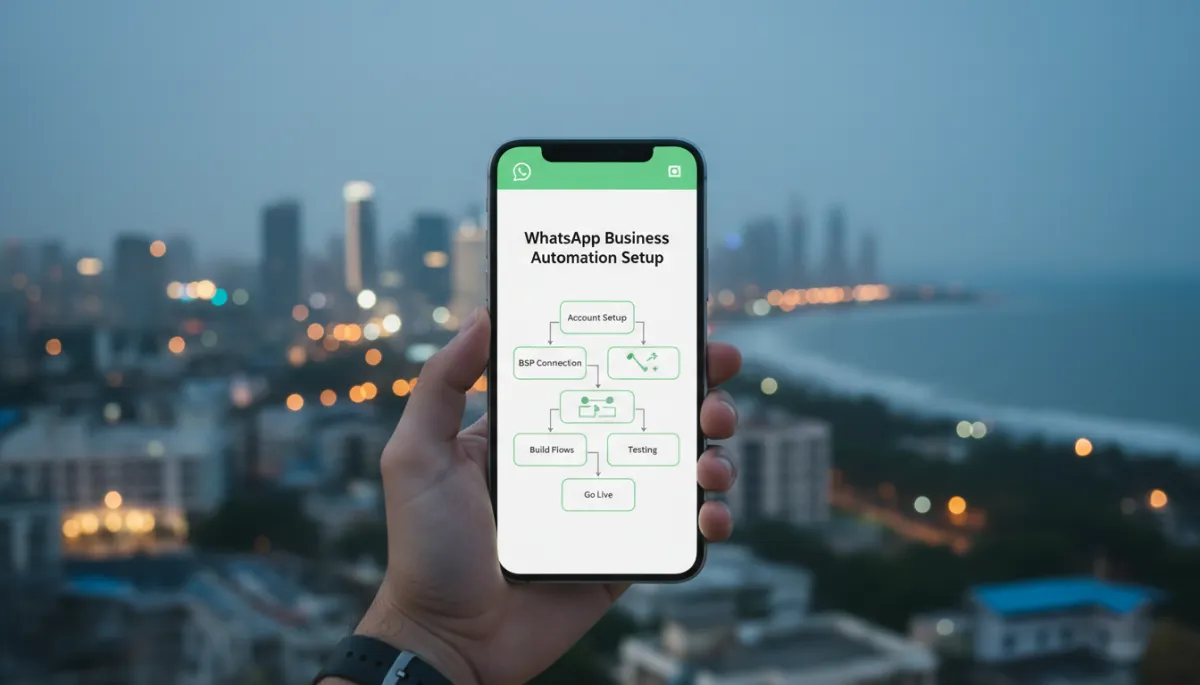
WhatsApp Business Automation Chennai: Set It Up the Right Way
WhatsApp Business, Automation, Chennai, Implementation Guide
WhatsApp Business Automation Chennai: Set It Up the Right Way
WhatsApp Business Automation Chennai: Set It Up the Right Way is not just a catchy title; it is the difference between a reliable revenue channel and a daily headache. In this guide, you will learn the correct, compliance-safe, results-driven way to set up WhatsApp Business automation for Chennai businesses – from choosing the right account type and getting verified, to connecting via a Business Solution Provider (BSP) and launching live, stable automation flows. We will walk through every phase carefully so you avoid shortcuts, policy violations, and the hidden setup issues that quietly kill performance.

Why Setup Quality Determines Your WhatsApp Automation Success
When WhatsApp automation fails in Chennai businesses, it almost never fails because “WhatsApp doesn’t work.” It fails because the foundation was rushed. According to the Twilio State of Customer Engagement 2023 report, 68% of automation failures in Indian SMEs are caused by incorrect initial setup, not platform limitations. In other words, if you get the first 10 steps wrong, the next 100 campaigns will underperform, no matter how good your offers are.
At RevMax, after helping 100+ Chennai businesses across Guindy, Perambur, Sholinganallur, and Nungambakkam set up WhatsApp Business automation, we see the same pattern repeatedly: businesses that invest time in proper account verification, profile completion, clean number setup, and template approvals get consistent results and fewer support issues. Those that cut corners end up with blocked numbers, rejected templates, low response rates, and frustrated teams who stop trusting automation altogether. This guide exists to keep you firmly in the first group.
Phase 1 — Account and Profile Setup Done Right
Choosing the Right Account Type (App vs API)
Your first decision is whether you only need the WhatsApp Business App or the WhatsApp Business API. For a single-person operation handling a few dozen chats a day, the app may be enough. But if you want true automation – routing leads to a team, integrating with your CRM, sending structured notifications, and building flows – you need the WhatsApp Business API setup via a BSP (Business Solution Provider), as documented in Meta’s Business docs (2024).
- WhatsApp Business App: Best for solo founders, basic quick replies, and manual follow-ups. Limited automation and no official API integration.
- WhatsApp Business API: Required for scalable automation, multi-agent inboxes, custom flows, and integration with tools like CRM, billing, or ticketing systems.
For most growing Chennai businesses – from real estate firms in Sholinganallur to clinics in Nungambakkam and industrial suppliers in Guindy – the API route is the only sensible choice if you want to automate without constantly hitting limits. Platforms like https://studio.revmaxapp.com/whatsapp-automation-chennai are built specifically to simplify this API-based journey for local businesses.
Completing Your WhatsApp Business Profile for Maximum Trust
Customers in Chennai are quick to judge whether a WhatsApp number is “legit.” A half-filled profile looks like a side hustle; a complete profile looks like a serious brand. A Nielsen 2023 study shows that businesses with complete WhatsApp Business profiles (logo, description, address, category) see 33% higher engagement rates. That is a huge lift for something you can finish in 20–30 minutes.
- Business name: Use your registered or well-known trade name – “Sri Kumaran Tiles – Guindy” is better than just “Kumaran”.
- Logo: Upload a clean, square logo with good contrast. Avoid text-heavy images that are unreadable on mobile.
- Description: In 2–3 lines, explain who you serve and what you do. Example: “Multi-speciality dental clinic in Perambur offering same-day appointments and EMI options.”
- Address and map: Add your physical address; this reassures local customers in areas like Sholinganallur and Nungambakkam that they are dealing with a real, reachable business.
- Category, email, website: Select the closest category and add your primary email and website or landing page.
Getting Your Business Verified on Facebook Business Manager
To use the WhatsApp Business API, Meta requires your business to be verified inside Facebook Business Manager. This is not optional. Meta’s official documentation confirms that a verified Business Manager and dedicated phone number are mandatory for API access. The good news is that once verification is done correctly, it rarely needs to be revisited.
- Log in to Business Manager and navigate to Business Settings → Security Center → Business Verification.
- Submit legal documents such as GST certificate, business registration, or utility bill showing your registered address in Chennai.
- Ensure your legal name and address match exactly across documents and your Business Manager profile.
Once verified, you can request the green tick (Official Business Account) for eligible brands. WhatsApp’s own research (2023) indicates that verified accounts with the green tick increase customer trust by around 40%. In competitive pockets like Nungambakkam and Guindy, that trust differential can directly impact conversion rates from cold leads to paying customers.
Phase 2 — Connecting to WhatsApp Business API via a BSP
What Is a Business Solution Provider (BSP)?
A WhatsApp BSP (Business Solution Provider) is an official partner authorized by Meta to provide access to the WhatsApp Business API. Instead of you hosting the API infrastructure, the BSP handles hosting, security, scaling, and compliance, and exposes an interface or dashboard for your team. Meta’s partner directory (2024) lists over 500 approved WhatsApp BSPs operating in India, covering everything from developer-focused APIs to no-code dashboards for business users.
In practice, this means you do not talk to the raw API. You use a platform like RevMax Studio for WhatsApp automation in Chennai, which sits on top of the API and gives you visual flow builders, team inboxes, analytics, and CRM-style capabilities tailored for local businesses.
How to Choose the Right BSP for a Chennai Business
With so many WhatsApp BSP India options – including players like Gupshup, Wati, Interakt, AiSensy, 360dialog, Twilio, Infobip, and others – the question is not “who is best globally?” but “who is best for your business in Chennai?” From our implementation experience, here are the criteria that matter most for local businesses:
- Local support and onboarding: Can they guide you through Indian KYC, template approval in India, and DPDP-compliant data handling? Many Guindy and Perambur SMEs struggle here when they pick global-only tools without India-focused support.
- No-code or low-code flow builder: Unless you have an in-house tech team, you need a visual builder for automation flows, not just raw APIs.
- Transparent pricing: Look for clear platform fees plus Meta conversation charges, with no hidden markups per message or per agent.
- Integrations: Check if they integrate easily with your CRM, website forms, or payment systems that you already use in Chennai.
RevMax’s implementation team typically recommends a platform like RevMax Studio for Chennai businesses because it combines BSP connectivity with a local, business-owner-friendly interface, instead of forcing you to manage separate vendors for API, automation, and CRM. If you want a broader landscape comparison first, you can also check our complete guide to WhatsApp automation for Chennai businesses and everything you need to know before starting.
The Verification Process — What to Expect
Once you choose a BSP and connect your Facebook Business Manager, you will go through two key steps: phone number onboarding and message template approval. Meta’s documentation notes that WhatsApp message templates must be pre-approved, and approval typically takes 24–72 hours.
- Phone number onboarding: You provide a dedicated number not already in use on WhatsApp. The BSP triggers a verification code (SMS or voice call) to confirm ownership, and the number is then linked to your WhatsApp Business API account.
- Template submission: You create standard templates for notifications like “New enquiry received,” “Appointment reminder,” or “Payment confirmation.” These are submitted via the BSP interface to Meta for approval.
Phase 3 — Building Your First Automation Flows
With your number live and templates approved, you can now design automation flows. This is where WhatsApp Business automation Chennai projects either become a delight for your team or a confusing maze. Start with four foundational flows that we implement in almost every RevMax project: Welcome, Lead Qualification, Follow-Up Drip, and Out-of-Hours Auto-Reply.
The Welcome Message Flow
The Welcome flow triggers when someone messages you for the first time or clicks a WhatsApp button from your website, Instagram, or ad. Its job is simple: acknowledge quickly, set expectations, and guide the person into the right path (sales, support, booking, etc.). In fast-paced areas like Sholinganallur tech parks, this instant response is often the difference between capturing and losing a lead.
- Greet by name if available and thank them for reaching out.
- Offer 2–4 quick reply options: “Enquiry,” “Book an appointment,” “Talk to support,” “Know pricing,” etc.
- Confirm your typical response time (e.g., “We usually reply within 10 minutes during working hours.”).
This flow should be friendly but professional, reflecting your brand. You can see more examples of high-performing welcome flows in our detailed step-by-step guide and in our breakdown of what actually works in 2026.
The Lead Qualification Flow
In busy corridors like Guindy or Perambur, your team doesn’t have time to manually ask every lead 10 questions. A well-designed lead qualification flow asks 3–6 targeted questions to understand intent, budget, and timelines before a human steps in. This prevents your sales team from wasting time on unqualified or low-priority leads.
- Ask what they are looking for (product/service category).
- Ask about budget range or scale (where relevant).
- Ask when they plan to decide (“this week,” “this month,” “just exploring”).
- Capture key details like location (useful for local service radius planning).
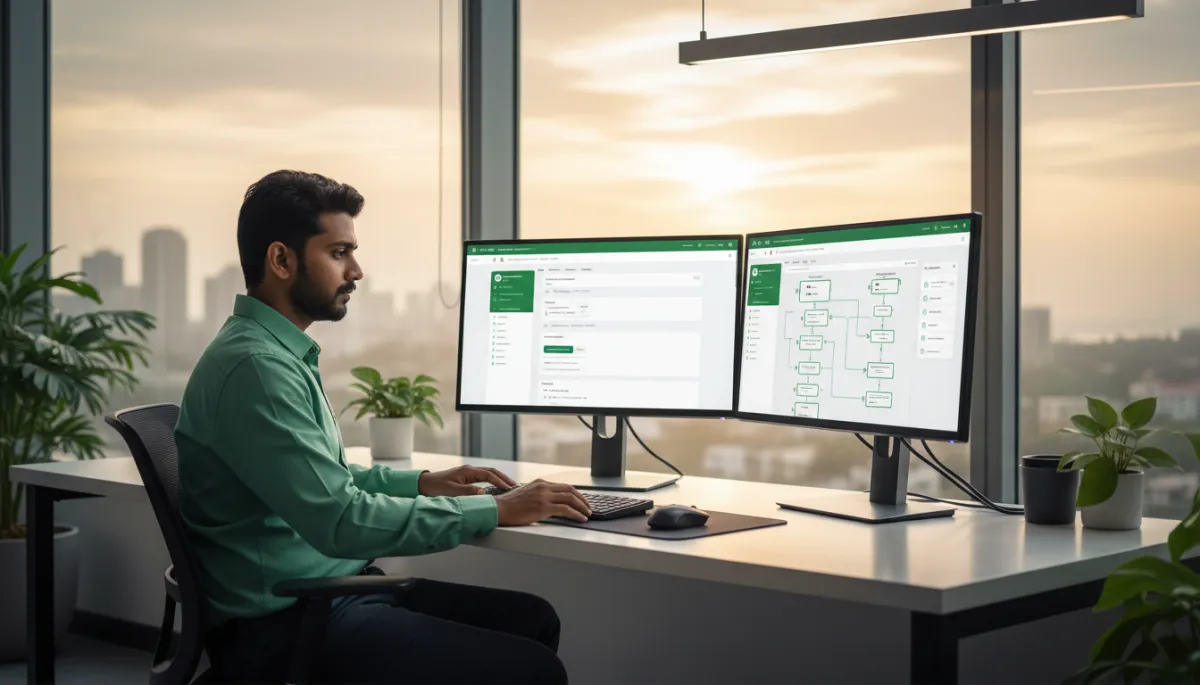
Structured flows qualify leads automatically so sales teams focus only on high-intent prospects.
The Follow-Up Drip Sequence
Most Chennai businesses lose money not because they lack leads, but because they don’t follow up consistently. A follow-up drip sequence is an automated series of messages that nurtures leads over days or weeks. It might include FAQs, testimonials from local customers, offers, or educational content. This is where WhatsApp automation truly helps you grow your business without manual follow-ups.
- Day 0: Thank-you and summary of their enquiry plus a helpful resource link.
- Day 2: Answer top 3 questions you usually hear in sales calls.
- Day 5: Share one strong testimonial from a similar customer in Chennai (e.g., another business in Nungambakkam).
- Day 7–10: Provide a gentle, time-bound offer or invitation to book a call.
The Out-of-Hours Auto-Reply
Leads in Chennai don’t only message between 10 a.m. and 6 p.m. Many enquiries come late at night or on Sundays, especially from working professionals in IT hubs like Sholinganallur. An out-of-hours auto-reply ensures that nobody feels ignored, even when your team is offline.
- Clearly state your working hours and when they can expect a response.
- Offer self-service options (FAQs, price list, booking link) when possible.
- If urgent support is available, provide the appropriate emergency contact.
Phase 4 — Testing, Quality-Checking, and Going Live
One of the most expensive mistakes we see is businesses going live without testing. According to Zendesk CX Trends 2023, businesses that test automation flows before going live see 55% fewer customer complaints in the first month. That’s not a minor difference; it is the gap between happy, impressed customers and a flood of “Your bot is not working” messages.
- Internal sandbox testing: Ask 3–5 team members to act as different types of customers and run through every flow. Note where they get confused, stuck, or annoyed.
- Edge case testing: Test what happens if someone types a random message, switches language, or skips a question. Ensure the bot fails gracefully and routes to a human when needed.
- Soft launch: For the first week, only show your WhatsApp entry points to a smaller audience (for example, only on your website, not in ads). Monitor performance and refine.
During this phase, RevMax consultants often sit with Chennai teams – whether at an auto dealership in Perambur or a coaching center in Nungambakkam – to watch real conversations and tweak copy, buttons, and routing rules. The goal is to make automation feel like a helpful, efficient team member, not a rigid robot.
Best Practices That Separate Good WhatsApp Automation from Great
By 2026, WhatsApp Business automation best practices have matured significantly. Based on industry guidance and our own field work in Chennai, the strongest performers consistently follow a handful of principles that align with global recommendations from providers like Infobip and Twilio, and automation experts (MobileMonkey, Tars, 2024).
- Personalization without creepiness: Use names, past interactions, and relevant context, but avoid overusing data in a way that feels intrusive. For example, “Welcome back, Suresh! Last time you checked our 2BHK options in Sholinganallur…” is helpful; reading out every detail of his history is not.
- Clear human handover: Every automation should have an obvious way to reach a human (“Talk to a person,” “Agent please”). This is especially critical in sensitive sectors like healthcare or finance in Chennai.
- Omnichannel consistency: Align your WhatsApp flows with your website, email, and social messaging. If your ad promises “Free site visit in Guindy within 24 hours,” your WhatsApp flow must support that promise seamlessly.
- Compliance and consent: Respect opt-ins, opt-outs, and WhatsApp’s policies. Use message templates for outbound notifications and ensure they are pre-approved. Never blast promotional messages to people who have not consented; it is both ineffective and risky for your number’s reputation.
- Continuous improvement via analytics: Track response rates, drop-off points, and time-to-first-response. Adjust flows monthly based on data – a small tweak to a question or button can raise conversion by 10–20%.
Frequently Asked Questions
1. How long does the complete WhatsApp Business API setup take in Chennai?
For most Chennai businesses, a full WhatsApp Business API setup – from Business Manager verification to live automation flows – typically takes 7 to 21 days. The biggest variables are how quickly your internal documents are ready, how fast Meta verifies your business, and the time taken for template approvals (usually 24–72 hours). With an experienced implementation partner and a platform like RevMax Studio, we often see businesses go from zero to live in about 10–14 days, including testing and training.
2. Do I need a web developer to set up WhatsApp Business automation?
Not necessarily. You do not need to write code to benefit from WhatsApp Business automation today. Modern platforms built on top of WhatsApp BSP India providers offer visual flow builders, drag-and-drop logic, and simple integrations. However, if you want deep, custom integrations with complex CRMs or in-house systems, a developer or technical consultant can accelerate the process. Many RevMax clients in Guindy and Perambur run powerful automation entirely without an internal tech team, relying on our implementation frameworks and no-code tools instead.
3. What documents are needed to verify a WhatsApp Business API account in India?
For Indian businesses, verification is tied to Facebook Business Manager. Typically, you will need:
- Legal business registration documents (such as GST certificate, incorporation certificate, or partnership deed).
- Proof of address (utility bill, bank statement, or official letter) matching the business name and address in Business Manager.
- A dedicated phone number not used on any other WhatsApp account.
Your BSP and implementation partner will guide you through the exact requirements, but having these documents ready upfront can save days of back-and-forth, especially for fast-moving businesses in Chennai’s competitive markets.
4. Can I migrate my existing WhatsApp Business number to the API?
Yes, you can migrate an existing WhatsApp Business App number to the WhatsApp Business API. The process involves:
- Backing up any important chat history (note that history does not move to the API).
- Deleting the number from the current WhatsApp app (you cannot use the same number on both app and API simultaneously).
- Verifying the number again during the API onboarding via your chosen BSP.
We recommend planning this migration during a quieter period (for example, mid-week mornings) so that your team is prepared for the brief downtime. Our WhatsApp CRM complete setup guide explains how to handle this transition smoothly while keeping customer experience intact.
5. What is a WhatsApp message template and why does it need approval?
A WhatsApp message template is a pre-approved, structured message you can send to customers outside the standard 24-hour service window. It is used for notifications like reminders, updates, and alerts. Meta requires these templates to be approved to protect users from spam and abuse. As per Meta’s Business Platform docs, template approval usually takes 24–72 hours.
In India, and especially in busy markets like Chennai, good template design is one of the most underrated aspects of a successful WhatsApp automation setup guide. Clear, compliant templates ensure your messages are delivered reliably and help you stay within WhatsApp’s policies while still driving results.
6. What should I test before going live with WhatsApp automation?
Before going fully live, you should test:
- Every entry point (website button, ad click-to-WhatsApp, QR code, Instagram link) to ensure it opens the correct chat and triggers the right flow.
- All key flows – Welcome, Lead Qualification, Follow-Up, Out-of-Hours – including both main paths and edge cases.
- Routing rules to make sure high-priority conversations reach the right human agents quickly.
- Template-triggered notifications (e.g., appointment reminders) to confirm timing, personalization, and formatting are correct.
A structured test plan may feel like extra work, but as the Zendesk data shows, it dramatically reduces complaints and rework in the first month, especially when your customers are already active and vocal on WhatsApp.
Set It Up Right the First Time (CTA)
If you are serious about WhatsApp Business automation Chennai and want to avoid the 68% of failures caused by poor initial setup, treat this as an infrastructure project, not a side experiment. Invest a little time now in proper verification, profile completion, BSP selection, and flow design, and you will have a reliable, high-converting channel that works for you day and night across Guindy, Perambur, Sholinganallur, Nungambakkam, and beyond.
RevMax has already implemented WhatsApp Business automation for over 100 Chennai businesses, from local service providers to multi-location brands. We have seen what breaks, what scales, and what consistently drives revenue. Instead of piecing together tutorials from different sources, you can follow read this before you start and our detailed step-by-step guide, or let our team guide you end-to-end through https://studio.revmaxapp.com/whatsapp-automation-chennai.


