WhatsApp Automation Chennai: Everything You Need to Know Before You Start
WhatsApp automation Chennai, WhatsApp Business API India, WhatsApp BSP India, WhatsApp compliance India, WhatsApp setup costs
WhatsApp Automation Chennai: Everything You Need to Know Before You Start
WhatsApp Automation Chennai: Everything You Need to Know Before You Start is exactly what this guide delivers. In the next few minutes, you will walk through a clear, practical pre-start checklist covering tools, costs, compliance, technical requirements, and realistic expectations for Chennai business owners getting ready to implement WhatsApp automation. Think of this as your risk-free planning document before you commit time, budget, or your primary business number to any platform.
Why So Many Chennai Businesses Get WhatsApp Automation Wrong
India has the highest WhatsApp usage rate among emerging markets, with about 79% of internet users on the platform (DataReportal, 2024). In Chennai, that translates into your customers checking WhatsApp more often than email, SMS, or even your website. Yet, based on our setup experience at RevMax with real estate brokers along ECR and OMR, Ambattur coaching institutes, Chromepet clinics, and Pondy Bazaar retailers, many businesses still get WhatsApp automation wrong in three predictable ways.
- They treat WhatsApp like bulk SMS. They buy a cheap tool, upload a list, and blast messages without consent. This is the fastest way to trigger spam reports and account bans, especially now that WhatsApp bans around 2 million accounts in India every month for abuse and unsolicited bulk messages (Meta Transparency Report, 2023).
- They underestimate complexity. According to the Twilio State of Customer Engagement (2023), 73% of SMEs in Asia-Pacific cite “complexity of setup” as the top barrier to WhatsApp Business API adoption. This is especially true when you mix CRM, lead automation, and multi-language flows for Chennai’s Tamil and English audiences.
- They ignore compliance. WhatsApp compliance India rules, Meta’s Commerce Policy, and India’s evolving data protection landscape are often treated as an afterthought. Many owners only discover the rules after a warning or restriction, which is the wrong stage to be learning.
When you approach WhatsApp automation Chennai as a structured project—covering tools, costs, compliance, and technical readiness—you avoid these common traps. You also position your business to use automation not only for marketing, but also for CRM, lead qualification, appointment booking, and after-sales support.
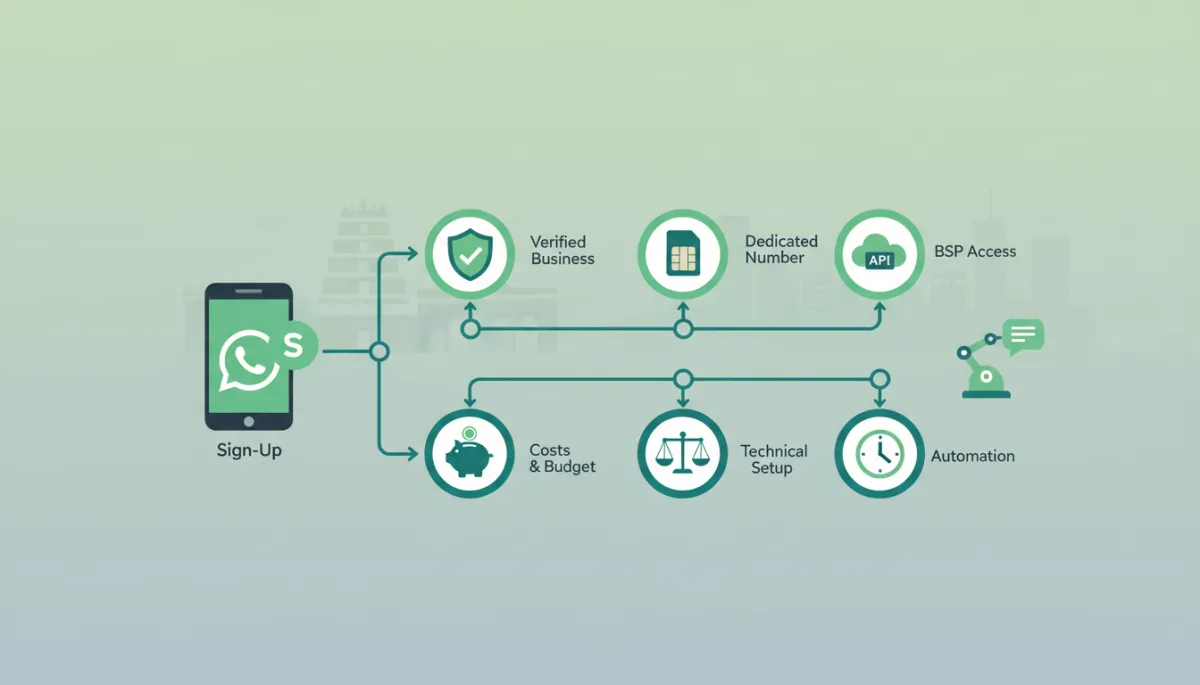
The Basics: What You Actually Need to Begin
A Verified Facebook Business Manager Account
Every serious WhatsApp Business API India setup starts with a properly configured and verified Facebook (Meta) Business Manager. This is where your WhatsApp Business account, phone number, and messaging templates are controlled. It is also where Meta checks that your company is real, legal, and trustworthy.
- Legal business documents: GST certificate, Shops & Establishment registration, or equivalent proof matching your business name and address.
- Website and domain email: Meta prefers businesses with a functioning website and domain-based email (for example, [email protected]), which increases your trust score and template approval rates.
- Business verification: Once documents are submitted, verification usually takes a few days. Based on our setup experience with Chennai SMEs, we advise planning for 3–10 business days before you expect full WhatsApp Business API access.
A Dedicated Business Phone Number
Technically, you can convert an existing number to WhatsApp Business API, but for most Chennai businesses we strongly recommend a dedicated business number. This reduces disruption and makes compliance management easier as regulations such as SIM-binding rules evolve in India.
- Choose a number that you can keep long term—avoid numbers tied to individual employees who might leave. Many businesses use a new mobile SIM or a virtual number that can receive OTPs for activation.
- Once a number is onboarded to the WhatsApp Business API, you cannot use it in the regular WhatsApp or WhatsApp Business app. All access is via your chosen platform or BSP dashboard and APIs.
Access to WhatsApp Business API via a BSP
The WhatsApp Business Platform (API) is not something you log into directly. You access it through a Business Solution Provider (BSP) or a platform that is integrated with a BSP. Over 5 million businesses globally use the WhatsApp Business API (Meta, 2024), and almost all of them do so via BSPs that provide user interfaces, analytics, and integrations.
- BSPs handle hosting, scaling, message delivery, and template approvals. They also add features like CRM, lead routing, AI chatbots, and automation flows that are not part of the raw API.
- For Chennai SMEs, we recommend choosing a platform that understands local lead automation and multilingual needs. A practical starting point is https://studio.revmaxapp.com/whatsapp-automation-chennai, which is built to connect WhatsApp leads directly into CRM-style workflows for sales, education, and healthcare businesses.
If you are unsure which path to choose, our article on read this first before making any decision gives a high-level comparison of app-only, API-based, and AI-powered setups.
Understanding Costs — What WhatsApp Automation Really Costs in India
Meta's Conversation-Based Pricing (2024 Update)
Meta moved WhatsApp Business Platform pricing to a conversation-based model in 2023, with different rates for marketing, utility, authentication, and service conversations. According to Meta’s 2023 update, service conversations are free for the first 1,000 each month, which is extremely valuable for Chennai SMEs using WhatsApp primarily for customer support and order updates in the early stages (Meta Business Blog, 2023).
In India, marketing conversations are the most expensive category, while utility and authentication are significantly cheaper. When you design your automation, it is smart to push as many messages as possible into service and utility categories, and reserve marketing templates for high-value campaigns like product launches, fee reminders, or festival offers.
BSP / Platform Monthly Fees
On top of Meta’s fees, you will pay your BSP or platform. This is where WhatsApp setup costs India can vary widely, from extremely basic tools at a few hundred rupees per month to enterprise-grade platforms charging tens of thousands. For Chennai SMEs, the realistic range usually looks like this:
- Entry-level tools: ₹1,000–₹3,000/month, limited automation, often not API-based, and usually risky from a compliance perspective if they encourage bulk messaging without opt-in.
- Mid-tier API-based platforms: ₹4,000–₹15,000/month, including broadcast segmentation, basic chatbot flows, live chat inbox, and CRM-style lead tracking. This is where most RevMax clients in real estate, education, and healthcare operate initially.
- Advanced AI/CRM stacks: ₹20,000+/month, with AI agents, deep CRM integration, multi-brand accounts, and complex automation. Suitable for multi-location chains and high-volume D2C brands.
What a Realistic Monthly Budget Looks Like for a Chennai SME
Based on our setup experience with Chennai SMEs, a practical starting budget for automated WhatsApp Chennai operations is typically in the range of ₹5,000–₹25,000 per month, depending on your volume and sophistication. Here is a simplified example for a coaching institute in Ambattur:
| Cost Component | Approx. Monthly Amount |
|---|---|
| Platform subscription (mid-tier) | ₹7,000 |
| Meta conversation charges | ₹3,000–₹5,000 (depending on marketing vs utility mix) |
| Setup and template writing (averaged) | ₹2,000–₹4,000 (if you amortize initial setup over 6 months) |
With this level of investment, our clients typically automate lead capture, instant responses, FAQ handling, and basic payment reminders—saving several hours daily, as we discuss in the article on 7 ways Chennai businesses save hours every week.
Compliance and Legal Requirements You Cannot Skip
WhatsApp's Commerce Policy for Indian Businesses
WhatsApp’s Commerce Policy defines what you can and cannot promote or sell through the platform. For Chennai businesses, this matters if you are in sectors like financial services, healthcare, or education, where certain types of content are restricted or require explicit disclosure and consent. Violating these rules can lead to template rejections, quality rating drops, or even number bans.
- Avoid prohibited items and services such as illegal products, misleading financial schemes, or unapproved medical claims. Clinics in Chromepet, for example, can send appointment reminders and test results notifications but must be careful not to share sensitive diagnoses or promotional claims that conflict with healthcare advertising rules.
- Ensure your business name, address, and website in the WhatsApp Business profile match your legal documents. This is helpful if you ever need to contest a policy enforcement decision.
Opt-In Requirements — Mandatory, Not Optional
Opt-in is the foundation of WhatsApp compliance India. You must obtain clear, documented consent from users before sending them proactive business messages, especially marketing or promotional content. This aligns not only with WhatsApp policy but also with India’s Digital Personal Data Protection (DPDP) Act, which requires consent to be free, informed, and revocable.
- Collect opt-ins via website forms, lead magnets, in-store QR codes, or checkboxes on enquiry forms. Make it explicit that they are agreeing to receive WhatsApp messages from your business, and specify the purpose (for example, “admissions updates,” “order tracking,” “offers and reminders”).
- Store consent logs in your CRM or WhatsApp platform. This is where a CRM-integrated solution like the one described in our complete WhatsApp CRM setup guide becomes valuable for audit trails and future compliance.
What Can Get Your Number Banned
Meta’s transparency reports indicate that around 2 million WhatsApp accounts are banned in India every month, many for spam, abuse, or policy violations. From our experience, the most common triggers for Chennai businesses are:
- Sending unsolicited bulk messages to purchased lists or old databases without fresh consent.
- Using unofficial tools or browser plugins that mimic WhatsApp Web to send high volumes of messages. These tools often violate WhatsApp’s terms and are easily detected.
- High block and report rates from users, usually caused by irrelevant, too-frequent, or non-consensual messaging.
Choosing the Right WhatsApp Automation Platform for Your Chennai Business
The right platform is not only about features; it is about alignment with your business model, technical comfort, and compliance risk appetite. Over 50% of WhatsApp Business API users in India are MSMEs (NASSCOM, 2023), which means platforms are increasingly designed for non-technical owners who want results without hiring a full-time developer.
- For real estate brokers (ECR, OMR): Prioritise lead capture from portals, instant auto-responses, and pipeline tracking. You need tight CRM integration and templates for property brochures, site visit reminders, and follow-up nudges.
- For education institutes (Ambattur): Focus on enquiry handling, admission funnel automation, fee reminders, and parent communication. Multi-language support in English and Tamil is often crucial.
- For healthcare clinics (Chromepet): Appointment booking, reports notification, and follow-up reminders must be designed with extra care for privacy and consent.
A strong candidate for many Chennai SMEs is https://studio.revmaxapp.com/whatsapp-automation-chennai, which combines WhatsApp Business API India access with CRM-style lead automation, pipeline views, and ready-made flows. It is built from the ground up around the kind of use cases we have implemented for local businesses—real estate, coaching, clinics, and retail—so you are not starting from a blank canvas.
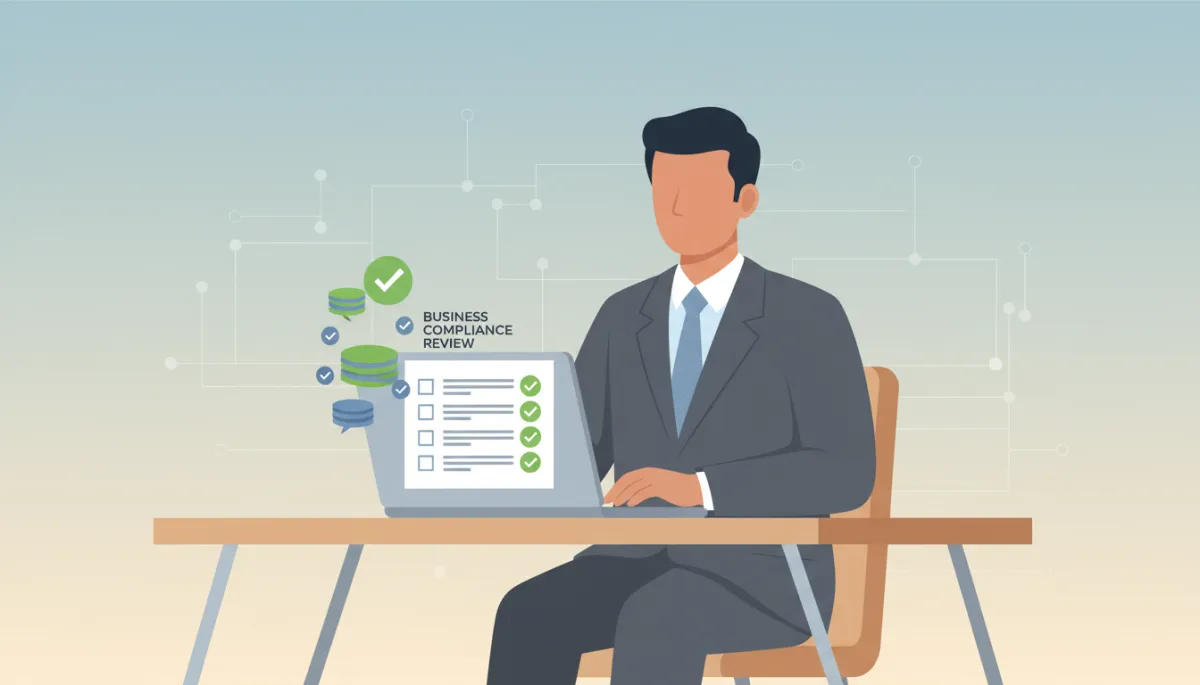
A simple pre-start checklist prevents costly WhatsApp bans and wasted spend.
For deeper comparisons of different automation styles and AI options, see our what every business owner should know about AI WhatsApp automation article, which explains when to move from basic flows to AI agents.
Technical Setup — What to Expect on Day One
Many owners worry that WhatsApp automation requires deep technical skills. In reality, with the right platform, the “technical” part is mostly structured data entry and approvals rather than coding. Here is what day one usually looks like based on our implementations across Chennai sectors:
- Connect your Meta Business Manager and verify your business details if not already done.
- Add and verify your dedicated WhatsApp number through OTP or call verification within the platform’s onboarding wizard.
- Configure your display name, logo, business description, and profile details so customers recognise your brand instantly.
- Integrate your CRM or lead sources—Facebook Lead Ads, website forms, landing pages, or offline lead imports—so that new enquiries automatically appear in the WhatsApp inbox and CRM pipeline.
After these basics, you will usually set up default quick replies, office hours, escalation rules, and at least one simple automation flow—for example, “New lead → instant greeting → ask qualification questions → assign to sales rep.” None of this requires coding if your platform provides visual flow builders.
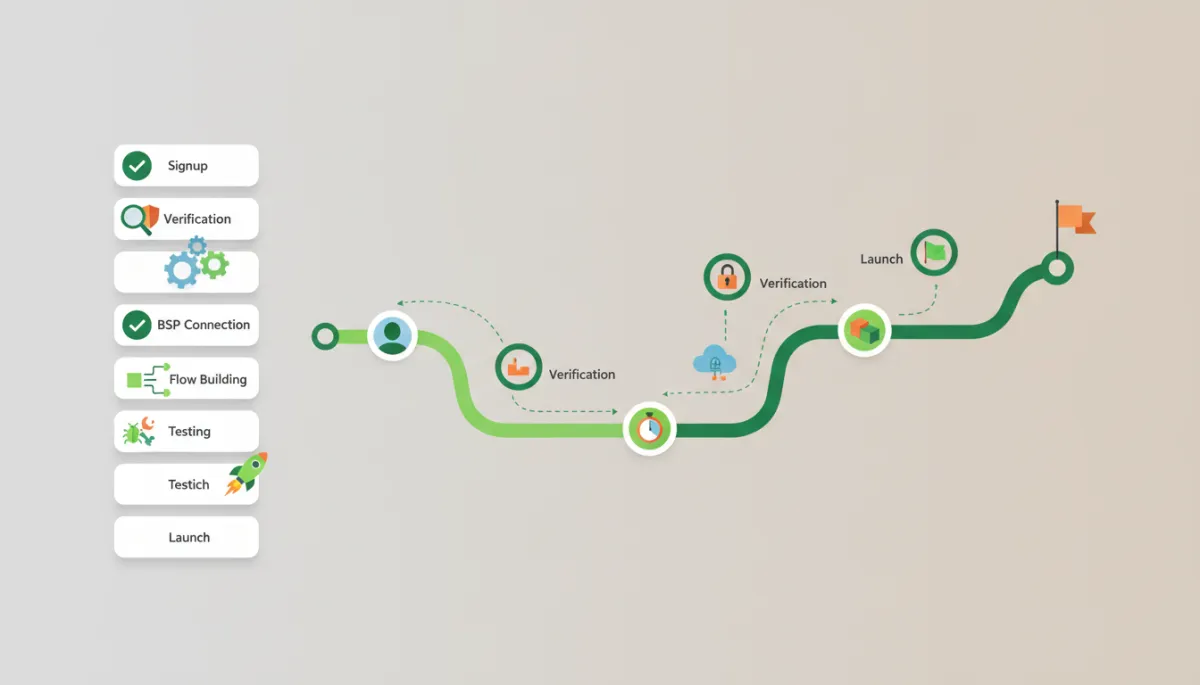
Realistic Timeline: From Sign-Up to First Automated Message
One of the most important expectations to set is timing. Many Chennai business owners expect to sign up today and start automated campaigns tomorrow. In practice, WhatsApp Business verification, template approvals, and initial flow design take some time—but not as long as you might fear if the process is managed properly.
- Day 1–3: Platform signup, Meta Business Manager connection, document submission for verification (if pending), number onboarding. During this phase, you can still use the regular WhatsApp Business app on other numbers for manual communication.
- Day 4–7: Business verification approval, basic template drafting (welcome message, lead confirmation, appointment reminder), and initial automation flow setup. Most RevMax clients send their first automated message within 5–10 days of starting the project.
- Week 2–4: Refinement based on real conversations—adjusting questions, adding follow-up sequences, integrating payment links, and adding AI or FAQ modules if needed.
Remember that WhatsApp automation is not a one-time install; it is an evolving system. The businesses that see the best ROI treat it as a living part of their CRM and lead automation strategy, reviewing performance monthly and iterating based on real data.
Frequently Asked Questions
1. Can I use my personal WhatsApp number for WhatsApp Business automation?
Technically, yes—you can migrate a personal number to a WhatsApp Business account and then to the WhatsApp Business API. However, we strongly discourage this for Chennai business owners. Once migrated to the API, that number will no longer work in the regular WhatsApp app, which can cause confusion with family, friends, and existing contacts. From a compliance and operational perspective, a dedicated business number is safer, easier to manage, and more professional.
2. How long does it take to get WhatsApp Business API approval in India?
For most businesses with clean documentation, approval typically takes 3–10 business days. This includes Meta Business verification and number activation via your BSP. Template approvals are usually faster—often within a few hours to a couple of days. If your documents are inconsistent, or your use case is in a sensitive sector, timelines can extend. This is why we recommend preparing all legal documents and a clear website before you start the process.
3. What is a Business Solution Provider (BSP) and do I need one?
A BSP is an official partner authorised by Meta to provide access to the WhatsApp Business Platform. You cannot directly log into the API; you must go through a BSP or a platform that connects to one. The BSP manages hosting, message delivery, and compliance with WhatsApp’s technical requirements. For almost every Chennai SME, the answer is yes, you need a BSP-backed platform, because building and maintaining your own API infrastructure is not practical or cost-effective.
4. What happens if I violate WhatsApp's messaging policies?
Policy violations can trigger a range of actions—from template rejections and reduced quality ratings to temporary restrictions or permanent bans on your number. In severe or repeated cases, your entire Business Manager could be affected. Given that WhatsApp bans around 2 million accounts every month in India, enforcement is real. Working with a compliance-aware team and following opt-in, content, and frequency best practices is the safest path.
5. Is there a free trial available for WhatsApp Business API?
Meta itself does not offer a “free trial” in the traditional sense, but many BSPs and platforms provide trial periods, sandbox environments, or discounted starter plans. Additionally, remember that the first 1,000 service conversations per month are free according to Meta’s 2023 pricing update, which effectively gives you a low-cost way to test customer support automation. Always confirm trial terms with your chosen provider and ensure they are an official partner.
6. How many messages can I send per day with WhatsApp automation?
WhatsApp uses tiered messaging limits that expand as your quality rating and sending history improve. New numbers start with lower limits, which can quickly increase as you send compliant, high-quality messages and receive good engagement. For most Chennai SMEs, these limits are more than enough for daily operations. The real constraint is not technical—it is compliance and relevance. Focus on sending messages that customers actually want to receive, and your limits will naturally grow over time.
Your Next Step (CTA)
You now have a clear pre-start view of tools, costs, compliance, technical requirements, and realistic timelines for WhatsApp automation Chennai. The next step is to turn this checklist into a working system that captures leads, nurtures prospects, and supports customers without putting your number at risk.
If you want an implementation that is grounded in real Chennai use cases—ECR and OMR real estate, Ambattur education, Chromepet healthcare, and Pondy Bazaar retail—start with the RevMax team at https://studio.revmaxapp.com/whatsapp-automation-chennai. You will get guided onboarding, compliant template design, and automation flows that connect directly into your CRM and sales processes, not just a bare WhatsApp inbox.
For ongoing updates on WhatsApp compliance, lead automation, and business growth strategies, follow @revenuemasteryconsulting on Instagram and revenue-mastery-consultings on LinkedIn. And whenever you are ready to go deeper into implementation details, bookmark our resources on how to set it up the right way and our practical WhatsApp marketing guide for small businesses. With the right preparation, WhatsApp can become the most reliable, compliant, and profitable channel in your Chennai growth stack.


