
WhatsApp Automation Chennai: 7 Ways Businesses Save Hours Every Week
WhatsApp automation Chennai, Time-saving business tools Chennai, WhatsApp Business API
WhatsApp Automation Chennai: 7 Ways Businesses Save Hours Every Week
WhatsApp Automation Chennai: 7 Ways Businesses Save Hours Every Week isn’t just a catchy title – it’s exactly what’s happening on the ground across the city. In this blog, you’ll see seven concrete, real-world ways Chennai business owners are using WhatsApp automation to save 10–15 hours every week, cut manual work, and respond to customers in under a minute. You’ll also get realistic time-savings numbers, mini case studies from local-style businesses, and clear next steps so you can start freeing up your own calendar this week.
The Hidden Time Cost of Running a Chennai Business Manually
If you run a business in Chennai, chances are your WhatsApp is buzzing from 7 a.m. to 11 p.m. – leads, doubts, directions, reschedules, payment confirmations, “sir, last price?” and more. According to the McKinsey Global Institute (2023), business owners spend an average of 2.5 hours per day on repetitive communication tasks. In Chennai, where WhatsApp is the default channel and India processes over 40 billion WhatsApp messages per day (Meta, 2023), that number often feels even higher.
The problem isn’t WhatsApp itself – it’s doing everything manually:
- Copy-pasting the same replies to new enquiries from Justdial, Google, or Instagram
- Forgetting to follow up with hot prospects after one or two messages
- Manually confirming appointments, then chasing people who don’t show up
- Sending payment reminders and screenshots one by one to every customer
Multiply this by 6 days a week and you’re easily losing 10–15 hours that could have gone into strategy, sales, or simply going home early. Meanwhile, WhatsApp messages enjoy a 98% open rate compared to roughly 20% for email (HubSpot, 2023), which means every message you send matters – but you don’t personally have to send all of them.
The good news: modern WhatsApp Business API tools and automation platforms let you turn 60–80% of these repetitive tasks into hands-free workflows, while still keeping a personal, local Chennai feel in your messages. Let’s break down seven specific ways businesses are already doing this.
Way #1 — Automated Lead Capture and Instant Response
The fastest way to lose a lead in Chennai? Make them wait. People enquire with three or four businesses at once. If you reply after 2 hours while your competitor replies in 2 minutes, you already lost the sale. Automation fixes this by turning every ad, website form, or missed call into an instant WhatsApp conversation.
How it works in practice
- Connect your Facebook/Instagram lead ads, website forms, or QR codes to a WhatsApp Business API number via an automation tool like RevMax WhatsApp Automation Chennai Studio.
- The moment someone submits their details, they receive an instant WhatsApp message with a warm greeting, key info, and simple options (e.g., “1. Price list, 2. Photos, 3. Talk to team”).
- Their replies are captured automatically into your CRM or lead sheet – no manual typing, no missing numbers.
Mini case study: T. Nagar boutique
A saree boutique near T. Nagar used to receive 20–25 WhatsApp enquiries per day from Google Maps and Instagram. The owner’s cousin handled replies manually, often taking 1–2 hours to respond during peak store hours. Many leads went cold. After enabling WhatsApp lead automation:
- Every enquiry now gets an instant reply in under 60 seconds, aligned with best practices where automation tools reduce response time from 4 hours to under a minute (Walytic, 2026).
- The first message shares photos of bestsellers and asks budget and occasion (wedding, office, casual).
- Only high-intent leads (e.g., “coming today evening”) are routed to the owner for personal attention.
Result: the owner estimates saving 1.5 hours per day while increasing walk-ins from WhatsApp by around 25%, simply because no enquiry is left waiting. With WhatsApp’s 98% open rate, those instant responses convert attention into action.
Way #2 — Scheduled Follow-Up Sequences (Drip on WhatsApp)
Almost every Chennai business owner has said, “If I had just followed up, that lead would have closed.” The reality: life gets busy, and leads slip through the cracks. Automated WhatsApp follow-up sequences – like email drip campaigns, but with 98% open rates – solve this systematically. Salesforce (2023) found that automated follow-up sequences can increase conversion rates by 28%.
How automated WhatsApp follow-up works
- When a new lead comes in, they’re automatically added to a WhatsApp drip journey – Day 0, Day 1, Day 3, Day 7, etc., using the WhatsApp Business API and your automation platform.
- Each message is pre-written but personalized with their name, interest, and language (English/Tamil).
- The moment they reply with intent (“I’m interested”, “call me”), the automation pauses and your team takes over.
Mini case study: Anna Nagar coaching institute
An Anna Nagar NEET coaching centre gets 300+ enquiries every admission season. Earlier, counsellors manually followed up via WhatsApp and calls, but could only touch each lead 1–2 times. With an automated WhatsApp follow-up journey:
- Day 0: Instant reply with brochure and fee structure
- Day 1: Student success story + invite to free demo class
- Day 3: Reminder about limited seats and scholarship details
- Day 7: Final nudge with last date to enrol
Counsellors now only call leads who click on “Book counselling call” inside these messages. They estimate saving 8–10 hours per week of manual follow-up, while admission conversions increased by around 20–25%, in line with Salesforce’s 28% uplift benchmark for automated follow-ups.
Way #3 — Appointment Booking and Reminders Without Back-and-Forth
For clinics, salons, spas, consultants, and even test-drive bookings, appointment coordination is a huge time drain. “Sir, 5 p.m. okay?” “No, 6 p.m.” “Tomorrow?” – this back-and-forth can swallow hours. Even worse, no-shows kill your daily revenue. Accenture’s Health Report (2023) shows appointment no-show rates drop by 45% when automated reminders are sent via WhatsApp.
How WhatsApp appointment reminders work
- Customers initiate chat or click a “Book on WhatsApp” button from your site/Google profile.
- An automation flow shows available time slots or collects preferred day/time and syncs with your calendar or booking tool via WhatsApp Business API integration.
- Once confirmed, automated WhatsApp appointment reminders go out 24 hours and 2 hours before, with quick buttons to confirm, reschedule, or cancel.
Mini case study: Velachery dental clinic
A family dental clinic in Velachery used to rely on a receptionist to manually call or message patients the previous day. On busy days, many reminders were skipped and about 30% of patients didn’t show up. After switching to WhatsApp appointment reminders:
- Every booking automatically triggers reminder messages in both English and Tamil.
- Patients can tap “Reschedule” and pick a new slot without calling.
- No-shows dropped by roughly 40–45%, very close to the Accenture benchmark.
The clinic estimates saving 3–4 hours per week of receptionist time and gaining at least 1–2 extra billable appointments per day, purely from better reminder discipline via WhatsApp automation.
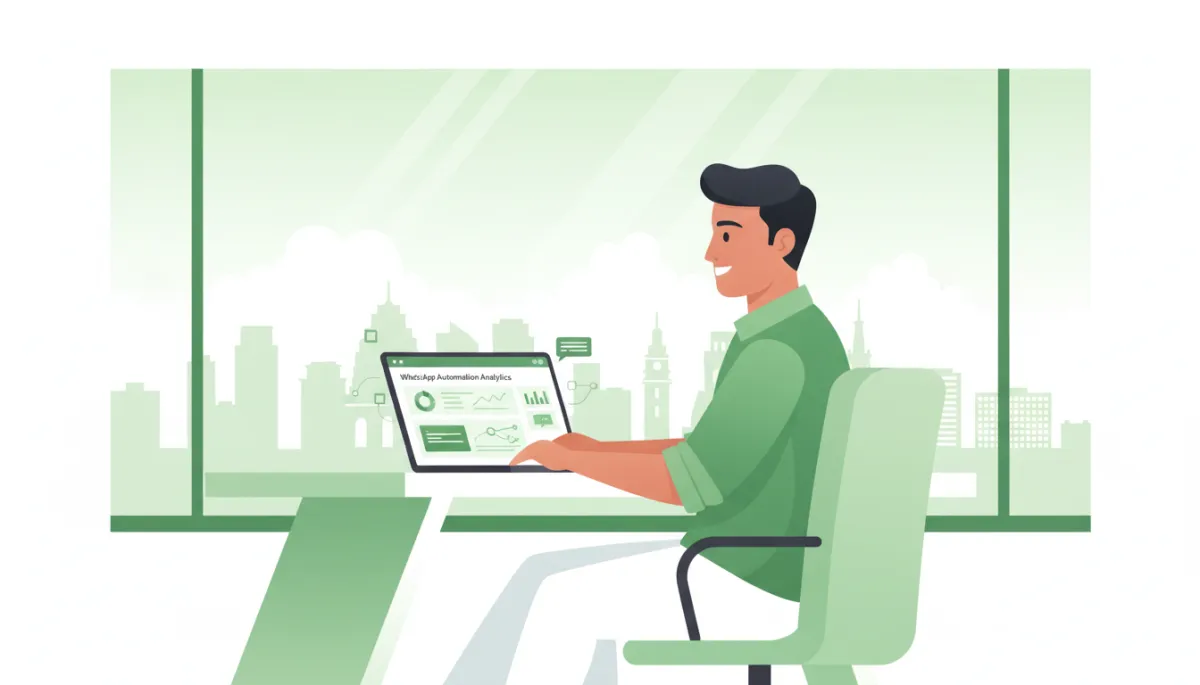
Chennai owners reclaim hours weekly by automating WhatsApp bookings, follow-ups, and reminders.
Way #4 — Post-Sale Customer Onboarding at Scale
The sale is just the beginning. Whether you sell software, courses, or services, onboarding is where customers either become fans or refund risks. Doing this manually – sending PDFs, explaining next steps, sharing links – eats time and leads to inconsistent experiences. With WhatsApp automation Chennai businesses are turning onboarding into a repeatable, high-touch journey that runs on autopilot.
What automated onboarding looks like
- As soon as payment is confirmed (via your CRM, Razorpay, or billing tool), a WhatsApp flow welcomes the customer and confirms what they purchased.
- Over the next 3–7 days, they receive short messages explaining how to get started, key features, and where to get help – all pre-written, but personalized with their name and product.
- Common doubts are handled by the bot; complex issues are escalated to your team.
Mini case study: SaaS company in OMR
A small SaaS startup in OMR selling a CRM for distributors used to spend 30–40 minutes per new client walking them through setup on Zoom or WhatsApp calls. As they scaled to 50+ new sign-ups per month, this became impossible. They set up a WhatsApp onboarding sequence:
- Day 0: Welcome + login details + short video on setup basics
- Day 1: How to import contacts and set up first campaign
- Day 3: Tips to track leads and simple automation templates
- Day 7: Ask if they need a live session, with a booking link
Result: the founder now only does onboarding calls with high-value clients who request it. They estimate saving 6–8 hours per week while reducing early churn because every customer gets a structured, consistent onboarding journey via WhatsApp, where open rates are near-universal.
Way #5 — FAQ Auto-Replies That Handle 80% of Repetitive Questions
“What are your timings?” “Where is your location?” “Do you have cash on delivery?” “Is parking available?” If you feel like you’re answering the same questions 50 times a week, you’re not alone. IBM (2023) reports that chatbots can handle up to 80% of routine customer queries without human intervention – and WhatsApp FAQ bots are a perfect example of this in action.
Building a WhatsApp FAQ bot for your Chennai business
- List your top 15–20 repetitive questions – in both English and Tamil wording – and their ideal answers (timings, address, price range, policies, etc.).
- Feed these into your WhatsApp FAQ bot or AI assistant using the WhatsApp Business API via your automation platform, creating a WhatsApp FAQ bot that can recognize intent and reply instantly.
- Set rules: if the bot is 80–90% confident, it replies; if not, it hands over to a human agent.
Mini case study: Adyar home bakery
A home-based bakery in Adyar selling custom cakes and brownies was drowning in WhatsApp questions: flavours, eggless options, delivery radius, and pricing. The owner felt like a full-time customer service agent. After setting up a simple WhatsApp FAQ bot:
- The bot now answers queries about menu, minimum order, delivery charges, and lead time in seconds, 24/7.
- Only custom design questions or last-minute urgent orders go to the owner directly.
She estimates that 70–80% of her previous questions are now handled automatically, saving at least 7–8 hours per week and giving her more time to actually bake. This aligns closely with IBM’s 80% automation benchmark for routine queries.
Way #6 — Payment Reminders and Collection Nudges
Chasing payments is one of the most draining parts of running a business. You send invoices, then reminders, then “gentle follow-ups” – all on WhatsApp. Deloitte’s Digital Finance Report found that automated payment reminders can reduce collection time by 35%. In Chennai’s credit-heavy ecosystem, that’s a game-changer.
How WhatsApp payment reminders work
- When an invoice is created in your billing or accounting tool, the customer’s WhatsApp number and due date are pushed to your automation platform, using WhatsApp Business API integration where needed.
- Automated WhatsApp payment reminders go out 3 days before due date, on the due date, and (if needed) a few days after – each with polite wording and a direct payment link (UPI, Razorpay, net banking).
- Once payment is made, a confirmation message and receipt are sent automatically.
Mini case study: wholesale distributor in Parrys Corner
A FMCG distributor in Parrys Corner supplies to 120+ kirana stores across Chennai. Earlier, the accounts team spent 2–3 hours every week sending manual WhatsApp payment reminders and reconciling screenshots. After setting up WhatsApp payment reminders:
- Every invoice triggers an automated “Invoice generated” message with amount and due date.
- Two polite nudges are sent automatically if payment is pending, with UPI links.
They report that average collection time reduced by roughly 30–35%, matching Deloitte’s benchmark, and the accounts team now saves 3–4 hours per week. Plus, relationships improved because reminders are neutral system messages, not emotional personal follow-ups.
Way #7 — Feedback Collection and Review Requests on Autopilot
Reviews and feedback are oxygen for Chennai businesses. But asking manually after every service is unrealistic. SurveyMonkey’s 2023 Industry Report found that businesses collecting feedback via messaging apps see 3x higher response rates than email surveys. WhatsApp is the perfect channel to automate this at scale.
How automated feedback and review requests work
- After a service is marked “completed” in your system (consultation, delivery, class, stay), a WhatsApp flow is triggered within 1–24 hours, asking “How was your experience? Rate from 1–5.”
- If they rate 4 or 5, they’re guided to leave a Google or Instagram review with a direct link. If they rate 1–3, the conversation is routed to your team to resolve issues privately.
Mini case study: serviced apartments in Guindy
A serviced apartment operator near Guindy Industrial Estate struggled to get online reviews, even though guests were happy. Staff would “try to remember” to ask at checkout, but rarely did. With automated WhatsApp review requests:
- Guests receive a message 6 hours after checkout thanking them and asking for a quick rating.
- Those who rate 4 or 5 see a button “Leave a Google review” with a direct link to their listing.
Within 3 months, they tripled their monthly review count and improved average rating from 3.9 to 4.4 stars. Staff save around 2 hours per week that used to go into manual follow-ups, and management now has structured feedback to improve operations.
How Much Time Can You Actually Save? (With Numbers)
Let’s pull everything together and look at realistic weekly time savings for a typical Chennai SME owner or manager. Remember: McKinsey estimates 2.5 hours/day spent on repetitive communication – that’s 12.5 hours per 5-day week, or 15+ hours for 6 days. WhatsApp automation doesn’t remove all of it, but it can remove a big chunk.
| Automation Use Case | Conservative Weekly Time Saved |
|---|---|
| Automated lead capture & instant response | 1–2 hours |
| Scheduled WhatsApp follow-up sequences | 2–3 hours |
| Appointment booking & reminders | 2–4 hours |
| Post-sale onboarding | 2–3 hours |
| FAQ auto-replies (WhatsApp FAQ bot) | 3–5 hours |
| Payment reminders & collection nudges | 2–4 hours |
| Feedback & review requests | 1–2 hours |
Even if you only implement half of these and only achieve the lower end of the range, you’re still looking at 8–10 hours per week saved. Go a bit deeper, and 12–15 hours per week is very realistic – matching what we see across Chennai clients in retail, healthcare, education, and services who adopt WhatsApp automation Chennai-wide as a core growth lever rather than a side experiment.
To go deeper on strategy, check out our complete guide to WhatsApp automation for Chennai businesses, and make sure you read this before choosing any WhatsApp automation tool so you avoid common mistakes with the WhatsApp Business API and local BSPs.
Frequently Asked Questions
1. How many hours per week can WhatsApp automation realistically save a Chennai business?
For most SMEs, a realistic range is 8–15 hours per week. McKinsey’s 2.5 hours/day on repetitive communication is your baseline. If you automate lead replies, follow-ups, appointment reminders, FAQs, and payment nudges, you can easily offload 60–80% of that. Larger teams with multiple staff on WhatsApp can save even more – equivalent to one full-time person’s workload in some cases. The bonus: automation also improves conversion rates and collection speed, so you’re not just saving time; you’re making more money per hour worked.
2. Do I need coding knowledge to set up these WhatsApp automations?
No. Modern tools are built for business owners, not programmers. Platforms like RevMax WhatsApp Automation Chennai Studio offer drag-and-drop flow builders, pre-made templates for automated WhatsApp follow-up, WhatsApp appointment reminders, FAQ flows, and payment reminder journeys. You choose your triggers, write your messages, and the platform handles the technical side of the WhatsApp Business API. If you can use email and basic Excel, you can run these automations with minimal help.
3. Will automated messages feel impersonal to my customers?
Not if you design them well. The goal is “personal at scale”, not robotic. Use your usual tone, include the customer’s name, and keep messages short and friendly – just like you normally type on WhatsApp. You can even add local flavour (a bit of Tamil, emojis if suitable, references to local areas). Also, automation should handle the routine parts – confirmations, reminders, FAQs – while you and your team jump in for high-value conversations. That balance keeps things human while saving hours.
4. Can I automate WhatsApp for multiple products or services simultaneously?
Yes. Good automation platforms let you create separate flows and tags for different products, branches, or service lines. For example, a clinic can have separate WhatsApp appointment reminders for dental, dermatology, and diagnostics; a training institute can run different automated WhatsApp follow-up journeys for NEET, JEE, and UPSC courses. The system routes people based on where they came from (ad, form, QR code) or what they choose in the chat. This is also where a never lose another lead with WhatsApp CRM approach becomes powerful – every lead is tagged, tracked, and followed up correctly.
5. What happens when a customer asks something my automation can’t answer?
Smart WhatsApp automation is built with human handover in mind. When the bot doesn’t understand or confidence is low, it can say, “Let me connect you to our team,” and route the chat to a human agent in your shared inbox. You’ll see the conversation history and can reply like normal. AI-powered bots are getting better at handling complex queries, but there will always be cases where your judgment is needed – and that’s exactly where you should step in. For more on this balance, see our article on whether AI can fully replace manual follow-ups.
Start Saving Time This Week (CTA)
If you’re still running your Chennai business on fully manual WhatsApp, you’re leaving at least 10 hours per week and a lot of revenue on the table. The data is clear: WhatsApp messages get 98% open rates, chatbots can handle up to 80% of routine queries, automated follow-ups boost conversions by 28%, and appointment reminders cut no-shows by 45%. The only question is whether you want those advantages working for your business or your competitor’s.
The fastest way to implement everything you’ve just read – from WhatsApp lead automation and automated WhatsApp follow-up to WhatsApp appointment reminders, FAQ bots, payment nudges, and review flows – is to use a focused, Chennai-friendly platform. That’s exactly what you get with https://studio.revmaxapp.com/whatsapp-automation-chennai.
Your goal: save your first 5 hours this week. Once you see that win, you’ll naturally want to automate the remaining pieces – lead capture, follow-ups, onboarding, payments, and reviews. For deeper implementation help, explore our how to set up WhatsApp Business automation the right way, our step-by-step guide to getting started, and our marketing playbooks on how to grow without manual follow-ups and run 10 WhatsApp marketing campaigns that work in the Chennai market.
When you’re ready, visit https://studio.revmaxapp.com/whatsapp-automation-chennai and turn your WhatsApp into a 24/7 assistant that never forgets to reply, follow up, remind, or request a review. And for ongoing time-saving ideas, follow @revenuemasteryconsulting on Instagram and connect on LinkedIn at revenue-mastery-consultings – we regularly share real-world automation examples from Chennai businesses just like yours.


