How to Set Up WhatsApp Automation Without Coding in India (2026 Guide)
WhatsApp Automation, No-Code, Small Business India, RevMax
How to Set Up WhatsApp Automation Without Hiring a Developer
You do not need a developer or technical background to set up WhatsApp automation for your business. Here is a complete, step-by-step guide for Indian business owners — especially in Chennai and across Tamil Nadu — to set up WhatsApp automation without developer support, no coding required.
Picture this. It is 11:15 p.m. in Chennai. Rahul, who runs a busy tiles showroom in Porur, opens his laptop to “finally research WhatsApp automation.” Within five minutes he is staring at words like API keys, webhooks, HTTPS callbacks and “JSON payloads”.
His eyes glaze over. He closes the browser. Again. Automation goes back to the “someday” list while his team spends another month manually replying to every WhatsApp enquiry, missing leads whenever the phone is busy or the staff is on leave.
If that feels uncomfortably familiar, you are not alone. Most Indian business owners in Chennai, Coimbatore, Madurai, or Hyderabad have had this exact experience. The good news is simple and important: you can set up WhatsApp automation without a developer.
Immediate answer: The old way of WhatsApp automation needed developers, custom code, and agencies. The new way uses no-code platforms like RevMax so you can configure everything yourself with drag-and-drop tools. This guide shows you exactly how to do it step by step.
I am Avinash N U, founder of RevMax — a CRM and AI automation platform built in Chennai, Tamil Nadu and used by Indian SMEs across industries. My team and I have helped clinics, coaching centres, real estate firms, salons, and B2B service companies launch DIY WhatsApp automation without hiring a single developer.
In this WhatsApp automation setup guide for India, you will get a practical roadmap:
Why business owners think this is “too technical” (and why that is outdated information)
A clear, actionable pre-setup checklist so you do not get stuck mid-way
10 concrete steps to set everything up — no coding, no jargon, no guesswork
The five automation flows every Indian business should start with (and how long each actually takes)
A realistic timeline: active hours vs calendar days, so you can plan your weekend or 3‑day sprint
💡 Quick reality check: If you can comfortably use WhatsApp Web, Gmail, and basic Excel, you already have enough skills to launch a no code WhatsApp chatbot setup using the RevMax platform.
1. Why Most Business Owners Think This Requires a Developer (And Why They Are Wrong)
The Old Way vs The New Way
For years, the only way to automate WhatsApp was the “old way”:
Hire a developer or agency to integrate the WhatsApp Business API manually
Wait weeks while they write custom code, host servers, and wire up webhooks and callbacks
Pay every time you wanted to change a question, add a button, or tweak a reply
That naturally made automation feel expensive, risky, and “only for big companies”. So when a business owner in Chennai or Coimbatore Googled “WhatsApp automation for small business”, they saw scary technical diagrams and thought: “This is not for me unless I have an in‑house tech team.”
The truth in 2026: you no longer need custom code for 90% of business use cases. Modern no‑code platforms do the heavy technical lifting in the background. You just configure the experience.
The new way is very different. Tools like RevMax Studio give you a visual drag‑and‑drop flow builder. You literally drag blocks like:
“Send message”
“Ask question with buttons”
“Wait for reply”
“Update lead in CRM”
Then you connect them like a flowchart: “If customer clicks this button, send that message. If they say this, ask that.” The platform handles the WhatsApp Business API, hosting, and security behind the scenes.
What No-Code Really Means in Practice
“No‑code” is a buzzword, but here is what it means for you as an Indian business owner:
You do not write code. You choose from menus, drag blocks, and type messages in plain English (or Tamil/Hindi).
You can change questions, add new buttons, or update pricing yourself in minutes — without waiting for an agency or freelancer.
You can launch a complete DIY WhatsApp automation for your small business in Chennai, Tamil Nadu or anywhere in India over a single weekend, not in 2‑3 months.
💡 If you are comparing tools: Our detailed guide on finding the best affordable WhatsApp automation tool breaks down pros, cons, and pricing for Indian SMEs so you do not overpay for features you will never use.
2. Before You Start — 4 Things You Actually Need (ACTIONABLE Pre-Setup Checklist)
Most people get stuck not because the tool is hard, but because they start without the basics ready. Spend 1–2 hours on this pre‑setup checklist and you will save days of back‑and‑forth later.
A Dedicated Business WhatsApp Number
Avoid connecting your personal WhatsApp number to automation. Get a separate SIM and number only for business use. This helps you:
Keep personal and business conversations completely separate
Avoid accidental usage (family member using that number on WhatsApp, breaking automation)
Any Indian mobile number works. Ideally choose a number you are comfortable printing on hoardings, visiting cards, and social media creatives for the next 3–5 years.
A Verified Meta Business Account
Serious automation platforms — including RevMax platform — use the official WhatsApp Business API. To access it, you need a Meta Business account (formerly Facebook Business Manager) that is set up and verified.
Ensure your business name in Meta matches your GST, PAN, and website name to avoid rejection.
Keep documents like GST certificate, shop & establishment certificate, or incorporation documents handy.
💡 Pro Tip: If Meta verification feels confusing, our team walks you through it during a book a guided demo. We do this every week for Indian SMEs, so we know exactly what usually causes delays or rejections.
Your Business Profile Assets Ready
Your WhatsApp Business profile is often the first impression a new lead gets. Keep these assets ready in a folder before you start:
High‑quality logo (square format works best on WhatsApp)
Short 1–2 line business description focused on benefits, not just features (for example, “Helping Chennai families find their perfect home on OMR and ECR”)
Website URL and main social links (Instagram, LinkedIn, YouTube)
Office address and working hours (especially important for local businesses in Chennai, Bengaluru, Coimbatore, etc.)
A Clear Picture of Your Customer Journey (5 Questions to Answer Before Building Anything)
Automation is not just about replying fast; it is about replying smart. Before you open any tool, grab a notebook or whiteboard and answer these five questions:
Where do most leads come from today? (Instagram ads, Google Ads, organic search, referrals, walk‑ins, hoardings in areas like Velachery/Anna Nagar, etc.)
What are the first 2–3 questions people usually ask? (Price, availability, features, EMI options, location, etc.)
What information do you need to decide if a lead is serious? (Budget, timeline, requirement type, city, number of people, etc.)
What is the ideal next step? (Book an appointment, schedule a site visit, send payment link, share brochure, connect to sales rep)
Who in your team should handle what? (Who takes sales calls, who confirms appointments, who handles support, etc.)
This simple map becomes the backbone of your no code WhatsApp chatbot setup. It tells you what to automate first and what to leave for humans.
3. Step-by-Step Setup Without a Developer (10 ACTIONABLE Steps)
Now let us move from planning to execution. Follow these 10 steps and, in 2–3 focused days, you can have a working WhatsApp automation system handling enquiries 24/7 — even if you are not “tech‑savvy”.
Step 1: Choose the Right Platform
Not all tools are designed for Indian SMEs. When you evaluate platforms, look for:
Official WhatsApp Business API access via Meta partners (no grey‑area hacks that risk bans)
Built‑in CRM and pipeline tracking so leads do not disappear into Excel sheets or personal phones
A visual no‑code flow builder with drag‑and‑drop blocks and AI reply options
Explore RevMax features to see how we combine WhatsApp, CRM, and automation specifically for DIY WhatsApp automation small business owners in India. If you are still shortlisting tools, our article on finding the best affordable WhatsApp automation tool gives you a side‑by‑side comparison.
Step 2: Verify Your WhatsApp Business Number
Inside your chosen platform (for example RevMax platform), the process typically looks like this:
Add your dedicated business WhatsApp number to the platform.
Choose how you want to receive the OTP (SMS or voice call).
Enter the OTP to prove you own that number.
Link the number to your Meta Business account.
Once this is done, your number is ready for WhatsApp Business API use. That means you are no longer limited to the normal mobile app; you can now run structured flows, templates, and automation at scale.
Step 3: Complete Your Business Profile
Fill in your profile details directly inside the platform or Meta interface:
Logo, display name, and category (for example “Real Estate Agent”, “Education”, “Salon”, “Diagnostic Centre”)
Short description explaining what you do and whom you serve in India (for example “We help Chennai parents find the right NEET coaching for their children”)
Address and working hours, especially if you have physical locations in areas like T. Nagar, Velachery, Adyar, or Anna Nagar
A complete, professional profile increases trust and directly improves conversion rates from first WhatsApp contact to sale or booking.
Step 4: Map Your Customer Journey Visually
Now convert the five questions you answered earlier into a simple visual map. You can use a notebook, whiteboard, or any mind‑mapping app. Draw three columns:
Entry points: “Clicked WhatsApp button on Instagram ad”, “Scanned QR code at showroom”, “Clicked chat button on website”.
Key questions: “What are you looking for?”, “When do you need it?”, “What is your budget?”, “Which location?”.
Outcomes: “Book appointment”, “Schedule demo”, “Send price list”, “Assign sales rep”, “Share payment link”.
💡 Pro Tip: Start with just one main journey — for example, “New lead from Instagram ad” — instead of trying to automate every possible scenario on day one.
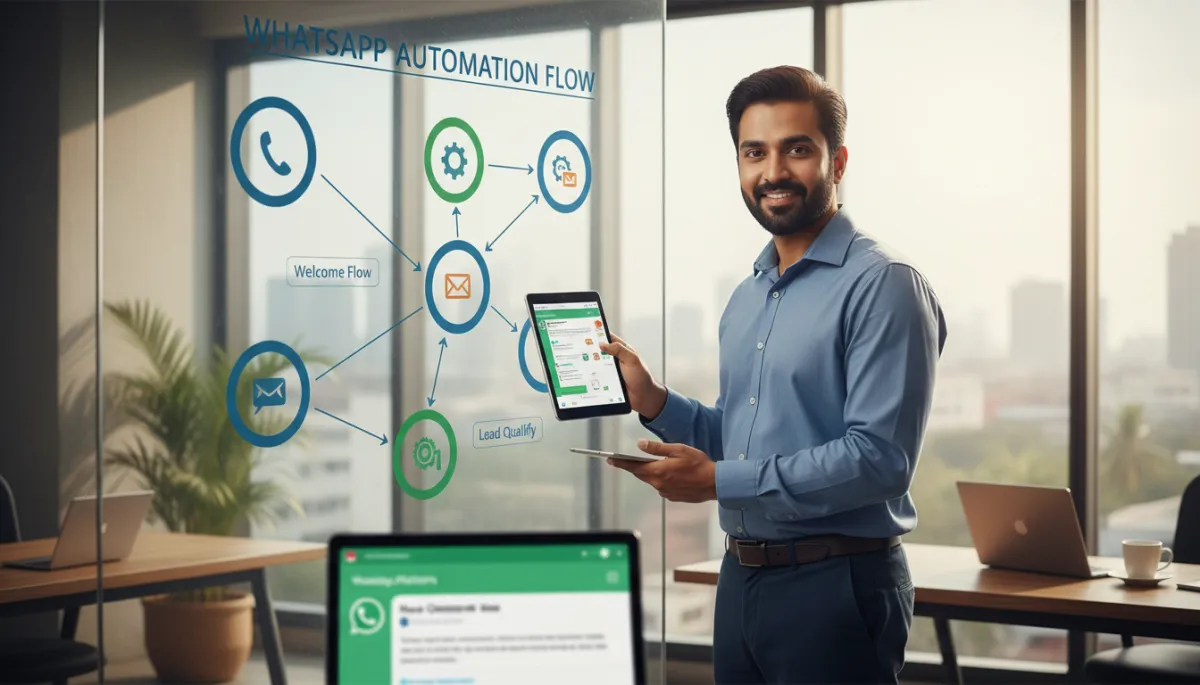
Step 5: Build Your Welcome Flow (With Example Message)
Your welcome flow is the first automated message a customer sees when they message your business. In RevMax, you can drag‑and‑drop a simple flow like this:
Greet them by name (WhatsApp usually provides the display name).
Set expectations: how quickly a human will reply if needed.
Offer 3–4 clear options as buttons.
Example welcome message for an interiors business in Chennai:
“Hi {{name}}, thanks for reaching out to ABC Interiors, Chennai 👋. We help you design modern homes and offices across the city. How can we help you today?”
[Button 1: Get quotation] [Button 2: Book site visit] [Button 3: Talk to expert]
This alone can reduce your response time from hours to seconds, without any human typing a single word.
Step 6: Build Your Lead Qualification Flow
Next, create a short conversation that collects key details from new leads. For example, a real estate company in Chennai might ask:
“Are you looking to buy or rent?”
“Which location are you interested in? (OMR / ECR / Central Chennai / Other)”
“What is your budget range?”
In RevMax, each answer automatically updates the lead record in your CRM. Your sales team sees a structured profile instead of a vague “Hi, I am interested.” This is the heart of how WhatsApp bots qualify leads automatically while you and your team are asleep or in meetings.
Step 7: Connect Your CRM
Automation without a CRM is like a busy Kirana shop without a billing counter. With RevMax, the CRM is built‑in, so:
Every WhatsApp lead becomes a contact in your pipeline automatically.
Qualification answers update fields like budget, interest level, product type, preferred location, and more.
If you already use another CRM, check if it integrates with your chosen platform. For businesses that want to connect WhatsApp automation to a full sales process (calling, email follow‑ups, proposals), a dedicated sales automation solution can complement your WhatsApp flows nicely.
Step 8: Set Up Follow-Up Sequences
Most sales in India are lost not because of competition, but because no one followed up consistently. Use WhatsApp automation to send:
Reminder messages to people who showed interest but did not book, visit, or pay yet.
Nurture messages with FAQs, testimonials, case studies, and short videos over a few days.
Our article on how WhatsApp bots qualify leads automatically dives deeper into designing follow‑up that feels helpful, not spammy.
Step 9: Test Everything Before Going Live (5-Step Checklist)
Do not skip testing. Allocate at least an hour and follow this checklist:
Use a different personal number to message your business number like a real customer would.
Try all button options and see if each one goes to the correct next step.
Type unexpected answers (for example, “later”, “not sure”, or Tamil/Hinglish responses) and see how the bot behaves.
Check whether all lead details are correctly captured and visible in the CRM.
Ask 2–3 team members from sales or operations to test and give feedback on clarity and tone.
💡 Pro Tip: Pay special attention to spelling, local phrases, and how natural the Tamil/English mix feels if your customers are bilingual. Our guide on making WhatsApp AI feel genuinely human has ready‑to‑use wording examples.
Step 10: Launch and Monitor
Once testing looks solid, it is time to go live:
Add your WhatsApp click‑to‑chat links on your website, Instagram bio, Facebook page, and Google Business Profile.
Print the number and QR code on offline materials: brochures, hoardings, standees, visiting cards, in‑store posters.
Then, monitor analytics inside RevMax: how many conversations start, how many leads qualify, and how many convert. Tweak your flows weekly based on data. Our guide on making WhatsApp AI feel genuinely human helps you refine tone and language over time.

Reviewing simple dashboards weekly helps you steadily improve automation performance.
4. Five Core Automation Flows Every Business Needs (and Time to Build)
You do not need 50 flows to start. Focus on these five core automations that almost every Indian business can benefit from. Time estimates assume you are using a no‑code builder like RevMax for your WhatsApp automation setup guide India.
Welcome Flow (30–60 minutes)
Purpose: Greet new contacts instantly and guide them to the right next step. Keep it short, friendly, and clear.
1–2 greeting messages + 3–4 button options
Time to build: 30–60 minutes including copy writing and testing
Lead Qualification Flow (45–90 minutes)
Purpose: Collect essential details to know whether a lead is worth a sales call. This is where you reduce “timepass” enquiries and prioritise serious buyers.
Keep it under 5–7 questions to avoid fatigue.
Map each answer to CRM fields (budget, category, urgency, etc.).
Time to build: 45–90 minutes, depending on how many segments you serve (for example, buyers vs tenants vs investors).
Appointment Booking Flow (60–120 minutes)
Purpose: Let customers book slots without calling. Ideal for salons, clinics, consultants, realtors, coaching centres, and more.
Offer clear time windows: “Today evening”, “Tomorrow morning”, “This weekend”, etc.
Sync with your team calendar or internal schedule inside RevMax so you do not double‑book.
Time to build: 60–120 minutes depending on how many services/locations you have.
Follow-Up Sequence (60–120 minutes)
Purpose: Nurture leads who are interested but not ready to decide yet. A simple 3‑message sequence can dramatically improve conversions.
Day 1: Share brochure or pricing PDF with a short explanation.
Day 3: Send a testimonial or case study from a nearby customer (for example, “Home owner in Anna Nagar”).
Day 5: Offer a call with an expert or a limited‑time bonus.
Time to build: 60–120 minutes including content writing and approvals.
Re-Engagement Flow (45–90 minutes)
Purpose: Bring back old leads or customers who have been inactive for a while (3–6 months). This is often the easiest revenue you will ever generate.
“Hi {{name}}, it has been a while since we last spoke. We have launched a new plan that many of our Chennai customers are loving. Would you like to see the details?”
[Yes, send details] [Not interested right now]
Time to build: 45–90 minutes. Once live, these flows can quietly add 10–30% more revenue without increasing ad spend. To keep costs under control, see our deep dive on WhatsApp automation pricing for small businesses in India.
5. Mistakes to Avoid When Setting Up Without a Developer
Mistake 1: Skipping Testing Because “We Will Fix Later”
Many owners are excited to launch and start seeing leads. They skip proper testing and only discover issues when real customers complain — broken buttons, confusing questions, dead ends. This hurts your brand and your team’s confidence in automation.
Mistake 2: Building Flows That Are Too Complex on Day One
Because no‑code tools feel easy, it is tempting to create long, complicated flows with 20 questions and multiple branches. Customers then feel like they are writing an exam, not chatting with a helpful assistant. Start simple; complexity can come later once you see real conversations and data.
Mistake 3: No Human Handoff Option
Automation should not trap the customer. Always provide a way to say “Talk to a person” and route those chats to your sales or support team. RevMax makes this handoff easy so your bot and your humans work together instead of competing.
Mistake 4: Ignoring Analytics and Feedback
The beauty of digital is that you can see what is working and what is not. If you never open your analytics dashboard, you will miss clear signals like:
Many people dropping off at a particular question (maybe it is confusing or too personal too early).
High response to a specific offer (you can highlight it more in ads and sales calls).
Check analytics at least once a week and make small improvements. Over 1–2 months, these tweaks add up to big gains in lead quality and revenue.
6. How Long Does Setup Actually Take?
Here is a realistic timeline that many RevMax customers in Chennai follow. This assumes you are doing it yourself with light help from your team.
Phase Tasks Active Hours (DIY) Calendar Days Day 1 (Morning) Choose platform, create account, gather assets, sketch customer journey. 3–4 hours Day 1 Day 1 (Evening) Connect and verify WhatsApp number, complete business profile. 1–2 hours Day 1 Day 2 (Morning) Build welcome and qualification flows, connect CRM. 3–4 hours Day 2 Day 2 (Evening) Set up basic follow‑up and re‑engagement sequences. 2–3 hours Day 2 Day 3 (Morning) Test flows with team, fix issues, refine copy and language mix. 2–3 hours Day 3 Day 3 (Evening) Launch publicly, add links to website and social media, print QR codes. 1–2 hours Day 3
In other words, a focused business owner can go from “nothing” to a live, working DIY WhatsApp automation system in about 2–3 days — without writing a single line of code or hiring a developer.
7. What RevMax Makes Easy That Other Platforms Make Hard
There are many tools out there, but RevMax was built specifically for Indian SMEs and service businesses, from our base in Chennai. Here are six things we make easier than generic global tools:
All‑in‑one: CRM + WhatsApp + Automation — You do not have to juggle separate tools for WhatsApp, CRM, email, and follow‑ups. RevMax combines them so your team has one clean view of every lead and conversation.
Local support and context — Our team is based in Chennai. We understand Indian buyer behaviour, language mix (English, Tamil, Hindi), and typical sales processes here. That means better templates, faster support, and more relevant suggestions for you.
No‑code, truly — Some tools say “no‑code” but still expect you to understand APIs, webhooks, or JSON. RevMax hides all of that. You focus on messages and logic; we handle the tech behind the scenes.
AI that feels human — Our AI reply features are tuned to avoid robotic answers and awkward phrasing. Learn more in our article on making WhatsApp AI feel genuinely human.
Transparent pricing for India — Pricing is structured for Indian small and mid‑sized businesses, not Silicon Valley startups. See how it compares in detail in our guide on WhatsApp automation pricing for small businesses in India.
Guided onboarding — During your book a guided demo, we do not just show screens. We walk you through real‑world examples from clinics, real estate firms, coaching centres, and B2B services — so you can see what will work for your business.
If you want to see how all this looks in real life, you can see how it works or jump straight into a live demo of RevMax and click through real flows, dashboards, and automation examples used by Indian businesses today.
8. Frequently Asked Questions About DIY WhatsApp Automation in India
1. Do I really not need a developer at all?
For 90% of Indian SMEs, no, you do not need a developer. With a no‑code platform like RevMax, you can set up flows, manage templates, and connect your CRM using visual tools. You might only need technical help if you want very advanced, custom integrations with in‑house systems — and even then, our team or your IT team can handle that separately while you still control the day‑to‑day flows yourself.
2. Is this officially approved by WhatsApp and Meta?
Yes — serious platforms, including RevMax, work through official WhatsApp Business API providers approved by Meta. That means you are not using any grey‑area or risky methods. Your number, templates, and flows follow Meta’s guidelines, which protects your brand and reduces the chance of bans or restrictions.
3. How much does WhatsApp automation typically cost for a small business in India?
Costs depend on your message volume and features. Most small businesses spend far less than they assume — often less than a part‑time staff salary while handling 5–10x more enquiries. For a detailed breakdown with real numbers, check our guide on WhatsApp automation pricing for small businesses in India.
4. Can I use my existing WhatsApp Business app number?
In many cases, yes — but you will need to move it from the normal WhatsApp Business app to the WhatsApp Business API. Once moved, you will manage conversations through the platform (like RevMax) instead of the phone app. We usually recommend a dedicated business number so your team can fully automate without affecting your personal or legacy chats. Our onboarding team can advise the best approach for your situation.
5. Will my customers feel like they are talking to a robot?
Not if you design your flows well. Use natural language, keep questions short, and always provide an option to talk to a human. RevMax also offers AI that can respond in a more conversational style, tuned to your brand voice. Our article on making WhatsApp AI feel genuinely human shares specific wording tips and examples for Indian audiences.
6. Can I handle Tamil or bilingual (Tamil + English) conversations?
Yes. Many of our Chennai customers run flows in Tamil, English, or a mix. You can:
Create templates in Tamil script or in “Tanglish” (Tamil written with English letters) based on what your audience prefers.
Offer language choice at the start: “Choose language: தமிழ் / English”.
During onboarding, we can share examples of successful bilingual flows used by Tamil Nadu businesses so you do not have to start from a blank page.
9. Conclusion: Your Next 3 Steps to Automate WhatsApp Without a Developer
If you have read this far, you already know more about WhatsApp automation than most business owners in your city. The biggest risk now is not complexity — it is delay. Every week you postpone, leads slip away, your team stays overloaded, and competitors quietly move faster with automation.
You do not need to become a tech expert. You just need to:
Decide that you will implement a simple, no‑code WhatsApp system in the next 7 days — not “someday”.
Choose a platform that is built for Indian businesses — like RevMax — instead of piecing together multiple tools that do not talk to each other.
Start small with a welcome and qualification flow, then add booking, follow‑up, and re‑engagement sequences once you see results.
Whether you run a clinic in Anna Nagar, a coaching centre in Coimbatore, a real estate firm in Hyderabad, or an online D2C brand shipping across India, you can set up WhatsApp automation without developer dependency. In 2–3 focused days, you can move from manual chaos to a predictable, trackable, and scalable system that works even when you are offline.
✅ Ready to see it in action? You can book a guided demo of RevMax today. We will show you exactly how Indian businesses like yours are using no‑code WhatsApp automation to qualify leads, book appointments, and close more deals — without hiring developers or building complex tech stacks. For ongoing tips and real examples, follow us on Instagram and LinkedIn.
Once you experience how simple it can be, you will wonder why you waited this long to automate.