Send CRM Conversions to Google Ads: Step-by-Step Guide for Indian SMBs [2026]
Google Ads, CRM, Offline Conversion Tracking, Chennai SMBs
How to Send CRM Conversions to Google Ads — Step-by-Step Guide for Indian SMBs [2026]
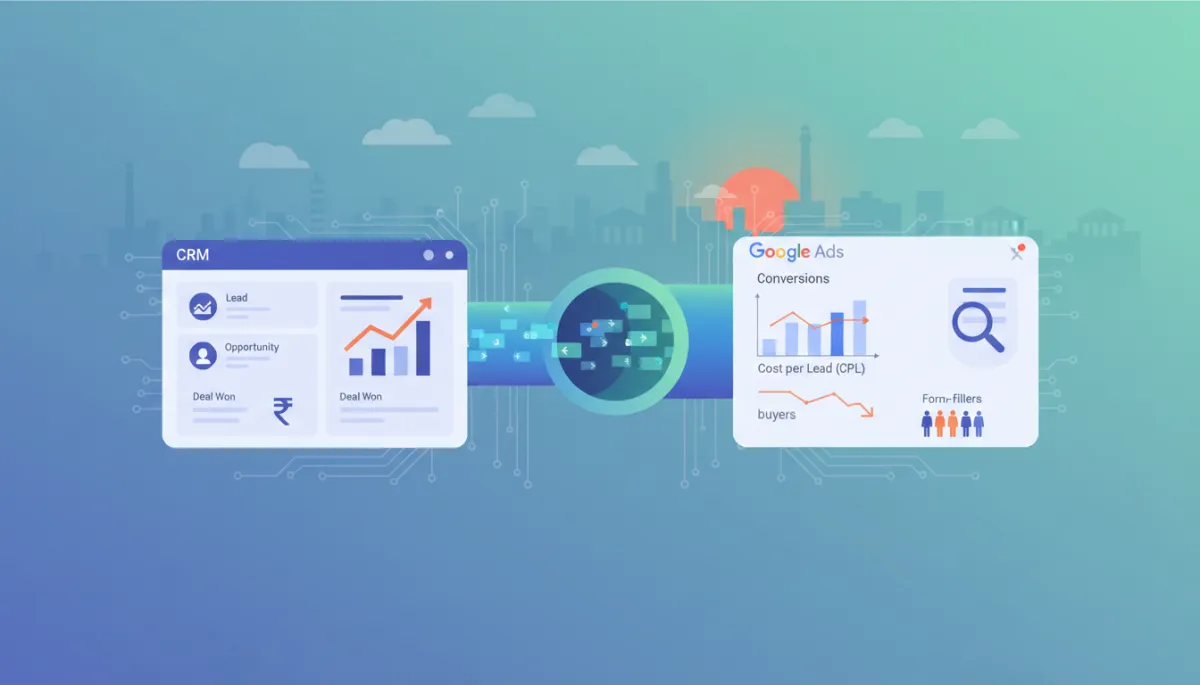
Most small and mid-sized businesses in Chennai and Tamil Nadu are spending heavily on Google Ads, but Google is still optimising only for form fills — not for actual sales. The real magic starts when you send the real conversions happening inside your CRM (closed deal, site visit completed, paid enrolment, token paid) back into Google Ads. In this blog, we will walk through, step by step, how to send CRM conversions to Google Ads so that Google’s algorithm learns to find buyers, not just people who like filling forms.
1. Why Indian SMBs are wasting money on Google Ads
Across real estate, education, coaching, and healthcare businesses in Chennai, there is one repeating pattern: you are running Google Ads, you have a landing page with a lead form, and that form fill is your main conversion. You are running Target CPA or Maximize Conversions and you feel everything is under control. But in reality, Google Ads is optimising only for the form submit, not for the sale.
For example, imagine you are a real estate builder in Velachery. 100 leads fill the form on your landing page. When you look at your CRM, you see that only 5 of them actually visited the site and only 1 booking happened. Google Ads only knows that there were 100 conversions — it has no idea which specific lead actually booked a flat. As a result, Smart Bidding keeps finding more people who behave like “form fillers”, not the profiles who actually book. That is why your CPL feels high and your ROAS feels weak, even if your Google Ads dashboard looks “green”.
The fix is straightforward: send the real conversions happening inside your CRM back to Google Ads as offline conversions — this is where the game changes. The core idea of CRM Google Ads integration is to teach the algorithm who a “valuable” user is for your business, instead of letting it guess based only on form submissions.
2. CRM conversions vs website conversions — simple explanation with Indian examples
What is a website conversion?
A website conversion is an event that happens immediately on your site and can be tracked directly using the Google Ads tag or Google Tag Manager. For example:
- Lead form submit (user filled name, mobile, email and clicked “Submit”)
- “Call now” button click (when call tracking is enabled)
- Online payment success page view (for e‑commerce or course fee payment)
What is a CRM conversion?
A CRM conversion is an event that happens later in the journey — after your sales team has followed up on WhatsApp, phone calls, or in-person visits — and the details live only inside your CRM, not on the website. For example:
- Real estate: “Site Visit Done”, “Token Paid”, “Booking Confirmed”
- Education institute (for example in Anna Nagar): “Counselling Attended”, “Admission Confirmed”, “Fee Paid”
- Coaching centre: “Demo Class Attended”, “Full Course Enrolled”
The simple concept behind Google Ads offline conversion tracking in India is this: whenever a deal in your CRM is marked as “Won” or reaches a key stage, you inform Google Ads that “this user was actually valuable, please treat this as a conversion.” This process is what people mean by send CRM conversions to Google Ads — importing offline conversions from your CRM into Google Ads so that Smart Bidding trains on the right data.
3. Why this matters so much in India’s WhatsApp-heavy market
In India, especially in cities like Chennai, the buyer journey is rarely “pure online”. A typical flow looks like this:
- User searches on Google (“NEET coaching centre in Chennai”)
- Clicks on your ad, lands on your page, fills a form or taps on a WhatsApp button
- The entire serious conversation continues over WhatsApp, phone calls, or centre visits
The problem is that all these “heavy‑weight” events — like fees payment, enrolment, booking, token advance — happen off the website. If you are treating only the website form fill as a conversion, Google Ads is getting zero signal about who your real buyers are. In a WhatsApp‑heavy market like Tamil Nadu, Google Ads offline conversion tracking India is no longer a luxury; it is a survival requirement if you want to compete profitably.
4. Step-by-step guide: how to send CRM conversions to Google Ads
Step 1: Enable Google Ads conversion import in your CRM
First, check whether your CRM supports CRM Google Ads integration. Most modern CRMs (like RevMax, HubSpot, Zoho, etc.) provide:
- Direct Google Ads connection (via OAuth)
- Offline conversion upload or “Google Ads Conversion Import” settings
In a platform like RevMax, you simply:
- Go to Settings → Integrations → Google Ads
- Log in with your Google Ads account and allow access
After this, you can select inside the CRM which pipeline stage or field should trigger a Google Ads conversion when it changes.
Step 2: Set up GCLID capture (campaign tagging)
Every click from Google Ads carries a unique ID called GCLID (Google Click Identifier). For offline conversion import, this ID is critical because it is how Google matches which specific click later turned into a sale in your CRM.
You need to ensure two things:
- In your Google Ads account, Auto‑tagging is ON (Account Settings → Auto‑tagging)
- Your landing page forms capture the GCLID in a hidden field and store it in the CRM along with the lead
If your form is custom-built, you can use a simple JavaScript snippet to read the GCLID from the URL and push it into a hidden input field:
<input type="hidden" name="gclid" id="gclid_field" />

<script>
  function getQueryParam(param) {
    const urlParams = new URLSearchParams(window.location.search);
    return urlParams.get(param);
  }

  document.addEventListener("DOMContentLoaded", function () {
    var gclid = getQueryParam("gclid");
    if (gclid) {
      document.getElementById("gclid_field").value = gclid;
    }
  });
</script>
In RevMax, this entire GCLID capture process is already built‑in — hosted lead forms and WhatsApp lead capture automatically store the GCLID for you, so you do not need to write any code.
Step 3: Mark deals as “Won” or key milestones in your CRM pipeline
The core work now happens inside your CRM. You need to define your sales pipeline properly. For example, a real estate pipeline might look like:
- New Lead → Contacted → Site Visit Booked → Site Visit Done → Booking Done → Payment Complete
Next, decide which stage should count as a conversion for Google Ads. For many Chennai real estate clients, we create two separate conversions:
- “Site Visit Done” (micro conversion, lower value)
- “Booking Done” (primary conversion, high value)
Step 4: Schedule automated offline conversion uploads
Theoretically, you could export a CSV from your CRM and manually upload it to Google Ads. Realistically, most Chennai SMB teams do not have the time or discipline to do this daily. That is why automation is critical for Google Ads offline conversion tracking India.
If your CRM supports direct API integration (like RevMax does), every time a deal is marked “Won” or reaches a defined milestone, the CRM sends an offline conversion event to Google Ads that includes:
gclid- Conversion name (for example “Booking Confirmed” or “Admission Confirmed”)
- Conversion time (when the deal moved to that stage)
- Conversion value (actual revenue or a fixed value)
To illustrate the concept, here is a pseudo‑code example for developers showing how an offline conversion upload might work using the Google Ads API:
from google.ads.googleads.client import GoogleAdsClient
from datetime import datetime, timezone

def upload_offline_conversion(gads_client: GoogleAdsClient,
                              customer_id: str,
                              gclid: str,
                              conversion_action_id: str,
                              conversion_value: float,
                              conversion_time: datetime):
    oc_service = gads_client.get_service("ConversionUploadService")

    conversion = gads_client.get_type("ClickConversion")
    conversion.gclid = gclid
    conversion.conversion_action = (
        f"customers/{customer_id}/conversionActions/{conversion_action_id}"
    )
    conversion.conversion_value = conversion_value
    conversion.currency_code = "INR"
    conversion.conversion_date_time = conversion_time.replace(
        tzinfo=timezone.utc
    ).strftime("%Y-%m-%d %H:%M:%S%z")

    request = gads_client.get_type("UploadClickConversionsRequest")
    request.customer_id = customer_id
    request.conversions.append(conversion)
    request.partial_failure = True

    response = oc_service.upload_click_conversions(request=request)
    return response
Internally, RevMax uses a similar approach with the latest Google Ads API version, but you never have to touch this code. You simply define which pipeline stages should count as conversions, and the upload automation runs in the background.
Step 5: Verify in the Google Ads conversions dashboard
Once uploads start, go to Google Ads → Tools & Settings → Conversions and check that:
- Your new offline conversion action (for example “CRM – Booking Confirmed”) is listed
- Status shows “Recording conversions”
- Conversion counts for the last 7–30 days are gradually increasing
5. How RevMax makes Google Ads + CRM integration easy for Indian SMBs
Working with Chennai‑based SMBs, we have seen that the biggest blocker is the technical setup. RevMax is designed with a simple principle: the business owner should not need to understand APIs or scripts to benefit from CRM Google Ads integration.
- Native Google Ads connection: You connect your Google Ads account with a 2‑minute OAuth flow. No developer token, no complex configuration, no custom scripts.
- GCLID capture on all lead flows: RevMax hosted forms, popups, and WhatsApp lead capture links automatically store the GCLID and UTM parameters — whether the user is on mobile or desktop.
- Pipeline stage triggers: In a simple UI, you define rules like: “When stage = Admission Confirmed, send a conversion to Google Ads with value = 25,000 INR.” No code, no spreadsheets, no manual uploads.
- Automatic conversion uploads: RevMax pushes offline conversions to Google Ads every few hours or in near real‑time (depending on your plan), so Smart Bidding is always training on fresh data.
In simple terms, RevMax becomes the CRM Google Ads bridge for your business — every high‑value event that happens in your CRM is automatically translated into a signal that Google’s AI can understand and optimise for.
6. Real impact: before vs after CRM conversion tracking for a Chennai business
Let’s take a real example of a NEET/JEE coaching institute in T. Nagar, Chennai, that started working with RevMax at the end of 2025.
Before: only form fills were tracked
- Monthly Google Ads spend: ~₹2,00,000
- Reported CPL (per form fill): ~₹250
- Actual cost per admission (from CRM data): ~₹4,500+
Google Ads was showing that campaigns A and B were “top performers” because they drove many form fills. But the CRM showed that most real admissions were coming from campaign C — which the algorithm was ignoring because its form fill volume was lower. The institute thought Google Ads was doing fine because leads were cheap, but revenue told a different story.
After: RevMax + CRM conversions Google Ads integration
- RevMax started capturing GCLID with every Google Ads lead (including WhatsApp leads)
- The CRM stage “Admission Confirmed” was mapped as the primary conversion in Google Ads
- Offline conversions were uploaded to Google Ads every day
Within 6–8 weeks, the results were:
- Reported cost per admission dropped to ~₹2,800 (around 35–40% improvement)
- Smart Bidding shifted budget towards the keywords and audiences that historically drove admissions, not just form fills
- With the same ad budget, the number of monthly admissions increased by 25–30%
“Earlier we thought Google Ads was working well because leads were cheap. After RevMax, we realised the cheap leads almost never paid. Offline CRM conversions gave us the complete picture and helped us focus on real admissions.”
— Director, Chennai‑based Coaching Institute (RevMax client)
7. Three common mistakes Indian businesses make with CRM conversions
Mistake 1: Treating only form fills as conversions
If your only conversion action is “Lead Form Submit”, you are making the same mistake as 90% of Indian SMBs. A form fill is just an interest signal, not a revenue signal. At minimum, you should send at least one down‑funnel CRM conversion (like “Site Visit Done” or “Admission Confirmed”) to Google Ads so that the algorithm can see what high‑quality outcomes look like.
Mistake 2: Uploading conversions too infrequently
Some businesses upload offline conversions via CSV once a month. In practice, this is almost useless. Smart Bidding needs fresh data to adapt. Ideally, CRM conversions should be uploaded daily, or at least every 48 hours. RevMax automates this completely so that even when your sales team is busy, the data flow to Google Ads never stops.
Mistake 3: Using the wrong conversion window
In real estate and high‑ticket education, it can take 30–60 days for a lead to convert into a sale. If your conversion window is left at 7 or 14 days, Google Ads will never see a large portion of your sales. In these verticals, a 60–90 day conversion window is much more realistic. During RevMax onboarding, we set vertical‑wise recommended windows so that no sale is missed from your Google Ads reporting.
8. FAQ — common questions from Chennai SMB owners
Q1. What is GCLID and why is it so important?
GCLID (Google Click Identifier) is a unique ID that gets attached to your website URL with every Google Ads click when auto‑tagging is enabled. When you store this ID in your CRM along with each lead, you can later tell Google Ads: “this sale came from this specific click.” Without GCLID, Google cannot match the click to the CRM sale, so send CRM conversions to Google Ads is practically impossible to do accurately.
Q2. How long does it take for Google Ads to learn from CRM conversions?
It depends on your conversion volume, but you should plan for a 4–8 week horizon. Smart Bidding algorithms typically need at least 30–50 quality conversions every 30 days for a given conversion action to learn effectively. In the beginning, you can run both form fills and CRM conversions together, then gradually shift your primary focus and bidding to the CRM conversions as volume stabilises.
Q3. Do I need a developer to set this up with RevMax?
No. RevMax is specifically designed so that SMB owners in Chennai and Tamil Nadu can complete the CRM conversions Google Ads integration without a developer. Our onboarding team joins you on a live call and sets up everything — connecting Google Ads, defining pipelines, mapping conversions, and testing uploads — all without you writing a single line of code.
Q4. Will this work with Performance Max (PMax) campaigns as well?
Yes. PMax campaigns use the same conversion actions defined at the account level. When you upload CRM conversions via RevMax and set them as your primary conversions, PMax will also start optimising for those high‑quality CRM events. In 2026, with Google’s AI‑driven formats like PMax and AI‑Max, this integration is even more critical because overall performance is almost entirely driven by data quality.
Q5. Can RevMax capture WhatsApp leads for Google Ads tracking as well?
Yes, this is one of the biggest pain points in the Indian market that RevMax solves. RevMax tracks UTM parameters and GCLID even in WhatsApp click‑to‑chat flows. When a lead comes in via WhatsApp and is created in the CRM, the source, campaign, and GCLID are attached to that contact. Later, when that WhatsApp lead converts into an admission or booking, the same data is sent to Google Ads as an offline conversion — so your Google Ads offline conversion tracking India setup covers not just your website, but also WhatsApp and calls.
9. Next step: book a free RevMax demo and make your Google Ads truly “smart”
If you are running Google Ads in Chennai or anywhere in Tamil Nadu and still treating only form fills as conversions, you are giving your competitors a free advantage. In 2026, the winning advertisers are the ones who connect CRM data + Google Ads and train the algorithm to recognise buyers, not just leads.
RevMax gives you this entire setup without the technical headache — native Google Ads connection, GCLID capture, WhatsApp and call tracking, pipeline‑based triggers, and automated offline conversion uploads. The result: lower CPL, stronger ROAS, and Google Ads reporting that finally matches the actual numbers in your sales team’s CRM.
Book a free RevMax demo today — show us your current Google Ads structure and CRM flow, and on a live call we will walk you through exactly how send CRM conversions to Google Ads will work for your business, which campaigns will improve first, and what realistic impact you can expect on CPL and admissions/bookings over the next 60–90 days.
The Chennai market is already highly competitive. The real difference will be which advertiser feeds Google’s AI with the right data. If you want Smart Bidding to work for you instead of against you, now is the time to connect your CRM conversions to Google Ads — and RevMax can make that journey simple, predictable, and profitable.


