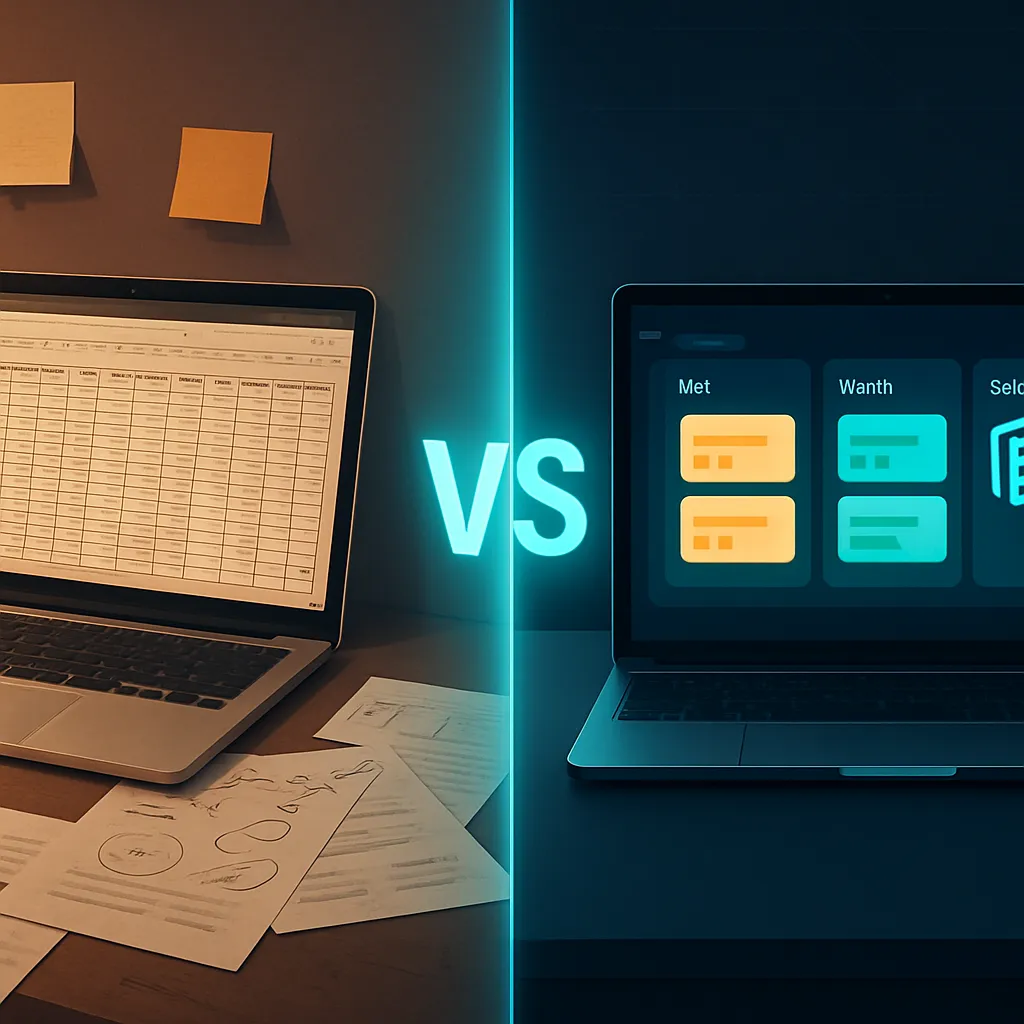
RevMax AI vs Spreadsheet Lead Management: Why Chennai Businesses Are Switching in 2026
If you are managing your business leads in an Excel sheet or Google Sheet in Chennai, you are not alone. The majority of Tamil Nadu small and mid-sized businesses started tracking leads in spreadsheets because it was free, familiar, and fast to set up. But if your lead volume has grown beyond 30 to 50 per month, your spreadsheet is no longer a system. It is a liability. This comparison of RevMax AI vs spreadsheet lead management will show you exactly where spreadsheets fail Chennai businesses, what the operational and revenue cost of that failure is, and why businesses across Tamil Nadu are switching to AI-powered lead management in 2026.
The short answer: A spreadsheet stores information. RevMax AI acts on it. A spreadsheet tells you a lead arrived. RevMax AI responds to that lead within 60 seconds via WhatsApp, qualifies them with an AI bot, tags them Hot, Warm, or Cold, books an appointment automatically, and follows up for 30 days without anyone on your team touching it. The difference between a spreadsheet and RevMax AI is the difference between a record and a system.
Why Chennai Businesses Start With Spreadsheets
Spreadsheets are the universal starting point for lead management in India. They are free. Every team member knows how to use them. They can be set up in minutes. And for a business handling 10 to 20 leads per month with a single dedicated salesperson, they are genuinely adequate. The problems begin when lead volume grows, when the team scales, when paid ads start generating evening and weekend enquiries, and when the business realises it has no visibility into how many leads were followed up, how many converted, and how many were simply forgotten in the scroll of a shared Google Sheet.
The 8 Ways Spreadsheets Are Costing Chennai Businesses Revenue
1. Spreadsheets Do Not Respond to Leads
This is the most fundamental limitation. A spreadsheet is a record-keeping tool. When a lead fills your Facebook Ad form at 9pm, the spreadsheet records nothing. Someone has to manually copy the lead's information into the sheet, then someone else has to see it, then someone has to message or call. By the time this happens the next morning, 10 to 12 hours have passed. The lead has moved on.
RevMax AI responds to every lead within 60 seconds via WhatsApp regardless of what time they enquire. The response is intelligent, contextual, and qualifies the lead automatically. Your spreadsheet does nothing at 9pm. RevMax AI is working.
2. Spreadsheets Cannot Qualify Leads
A spreadsheet collects whatever information was in the lead form - typically just a name and phone number. It cannot ask the lead about their budget, their requirement, their area preference, or their timeline. That qualification work falls to a sales rep who has to call, reach the lead, ask the questions, and manually enter the answers back into the spreadsheet.
RevMax AI's qualification bot conducts a complete qualification conversation within WhatsApp at the moment the lead arrives. By the time your sales rep sees the lead in the pipeline, they already know the budget, the area, the property type, the timeline, and whether the lead is a serious buyer or an early researcher. Your team calls only the leads worth calling.
3. Spreadsheets Have No Follow-Up Engine
A spreadsheet can have a column called Follow-Up Date. But nothing actually happens on that date unless a human remembers to check, finds the lead in the sheet, and manually sends a message. Research shows 80 percent of sales happen after the fifth to twelfth follow-up. In a spreadsheet environment, most leads receive 1 to 2 follow-up attempts. The rest are silently abandoned.
RevMax AI runs a structured 30-day follow-up sequence automatically for every lead that does not convert immediately. Day 1, Day 3, Day 7, Day 14, Day 21, and Day 30 messages go out via WhatsApp, email, and SMS without anyone on your team doing anything. No lead is forgotten.
4. Spreadsheets Create Data Silos Across Your Team
When multiple team members are updating the same spreadsheet, version control becomes a nightmare. Who entered this lead? Did someone already call this person? Is this the most recent status? When two sales reps both see the same lead and both call them on the same day, the buyer feels harassed rather than helped. When neither calls because each assumed the other had, the lead goes cold.
RevMax AI's shared team inbox and visual pipeline show every team member the complete lead status in real time. Every conversation, every follow-up, every qualification answer, and every appointment is visible to everyone who needs to see it. No duplicate calls. No dropped leads. No confusion.
5. Spreadsheets Give You Zero Visibility on Pipeline Health
How many leads did you receive this month? How many were followed up within 5 minutes? How many converted to appointments? How many appointments showed up? What is your current conversion rate from enquiry to sale? With a spreadsheet, answering these questions requires manually counting rows, filtering columns, and building calculations - assuming the data is even accurate and complete, which it rarely is when entries are made manually by multiple people under time pressure.
RevMax AI gives you a live pipeline dashboard that answers all of these questions in real time, every morning, without any manual assembly. You see the complete picture - lead source, lead volume, qualification rate, appointment rate, show rate, and revenue - in one screen in 30 seconds.
6. Spreadsheets Cannot Book Appointments
Converting a qualified lead into a booked appointment via a spreadsheet requires a manual process: the sales rep identifies the lead, sends a WhatsApp message, waits for a response, suggests times, waits for confirmation, adds to a calendar manually, and hopes the lead remembers. No-show rates are high because there are no automated reminders. Back-and-forth scheduling wastes time that should be spent closing.
RevMax AI sends qualified leads a booking link automatically within the WhatsApp conversation. The lead selects their preferred slot. The appointment syncs with Google Calendar. Confirmation and reminder messages fire automatically. No-show rates drop by up to 60 percent. Zero manual scheduling effort from your team.
7. Spreadsheets Are Lost When Team Members Leave
In many Chennai businesses, the lead spreadsheet lives on one person's Google Drive or laptop. When that person leaves the company, the spreadsheet history goes with them - or at best is shared in a state that nobody else fully understands. Years of customer data, follow-up notes, deal history, and contact records are either lost or inaccessible.
RevMax AI stores every lead, every conversation, every qualification answer, and every appointment in a cloud-based CRM that belongs to your business - not to any individual team member. When someone leaves, their replacement has complete access to every lead they ever managed. Nothing is lost. The business continuity is maintained.
8. Spreadsheets Cannot Handle After-Hours Leads
A spreadsheet is passive. It cannot message a lead who enquires at 11pm. It cannot respond to a WhatsApp enquiry on a Sunday afternoon. It cannot qualify a lead who fills a Facebook Ad form on a public holiday. Every lead that arrives outside business hours enters the spreadsheet and waits - sometimes for 12 to 16 hours - before a human notices them.
RevMax AI is active 24 hours a day, 7 days a week, 365 days a year. Every lead that arrives at any hour receives a WhatsApp response within 60 seconds, a qualification conversation, and a pipeline entry before your team arrives the next morning.
RevMax AI vs Spreadsheet: Feature Comparison
| Capability | Spreadsheet (Excel or Google Sheets) | RevMax AI |
|---|---|---|
| Lead capture from Facebook Ads | Manual entry or CSV download | Automatic real-time sync |
| Lead capture from Google Ads | Manual entry | Automatic real-time sync |
| First response to new lead | Manual, next available moment | 60 seconds via WhatsApp, automated |
| After-hours lead handling | Nothing until next business day | Full AI response 24/7 |
| Lead qualification | Manual, requires a call | AI bot qualifies automatically |
| Lead scoring (Hot Warm Cold) | Manual, if done at all | Automatic AI scoring |
| Follow-up automation | Relies on human memory | 30-day automated sequence |
| Multi-channel follow-up | Manual, single channel at a time | WhatsApp plus Email plus SMS automated |
| Appointment booking | Manual back-and-forth WhatsApp | Automated booking link, calendar sync, reminders |
| Team visibility on lead status | Shared sheet, version confusion | Real-time shared pipeline dashboard |
| Pipeline and revenue reporting | Manual formulas and counting | Live automated dashboard |
| Duplicate lead detection | Manual or not done | Automatic |
| WhatsApp automation | Not possible | Native, Official API, AI-powered |
| Broadcast campaigns to past leads | Manual, high ban risk | Automated, unlimited, compliant |
| Scales with lead volume | Becomes unmanageable above 50 leads per month | Unlimited, zero degradation |
| Data security | Vulnerable, easily shared or lost | Cloud-based, role-based access control |
| Works when team member is absent | No | Yes, fully automated |
The Moment a Spreadsheet Stops Working: When to Switch
There is a specific point in every Chennai business's growth where a spreadsheet transitions from adequate to actively harmful. That point is reached when any of the following become true.
- You are receiving more than 30 to 50 leads per month and cannot manually track follow-up status for every one of them.
- You are running Facebook Ads or Google Ads and leads are arriving outside business hours without automated response.
- You have more than one person managing leads and version control or ownership confusion is causing leads to be missed.
- You cannot answer basic questions about your pipeline - how many leads this month, how many followed up, how many converted - without spending an hour manually analysing the sheet.
- You are losing leads because a team member forgot to follow up, left the company, or was absent on a day when new leads arrived.
- Your appointment no-show rate is high because there are no automated reminders.
- You want to send a WhatsApp broadcast to your past leads database but cannot do it at scale without ban risk.
If any of these are true for your Chennai business today, the spreadsheet has reached its ceiling.
Real-World Scenario: A Chennai Real Estate Broker Switching from Excel to RevMax AI
A property brokerage in Velachery with 5 sales executives has been managing leads in a shared Google Sheet for 3 years. They run Facebook Ads generating 180 leads per month. Each lead is manually entered into the sheet when the executive has time. Follow-up dates are tracked in a Follow-Up Date column that is colour coded by the individual exec.
The daily reality with the spreadsheet: Leads from Facebook Ads arrive throughout the day and evening. Morning leads are entered by 10am. Evening leads sometimes wait until the next morning. The shared sheet has 847 rows of leads from the past 6 months with inconsistent status labels. Three executives are managing the same lead database with no clear ownership. Two leads this month received calls from two different executives on the same day. 23 leads from the previous month have no Follow-Up Date entry and have received no contact since the initial call. Monthly conversion from 180 leads: 7 to 9 site visits booked.
With RevMax AI: Lead arrives from Facebook Ad at 8:15pm. WhatsApp reply fires within 60 seconds. AI bot asks: which area in Chennai, budget range, flat or villa, possession preference, loan required. Lead responds and is tagged Hot. Booking link fires automatically. Lead books a Saturday morning site visit. Automated reminder fires Friday evening and Saturday morning. All five executives see a shared live pipeline every morning with clear lead ownership, qualification status, and follow-up history. 180 leads, 52 qualified as Hot or Warm, 34 site visits booked, 11 conversions. Same ad spend. No spreadsheet.
RevMax AI vs Spreadsheet: Final Summary
| Criteria | Spreadsheet | RevMax AI |
|---|---|---|
| Best for | Up to 30 leads per month, single user | 50 to 500 plus leads per month, team use |
| Lead response speed | Hours, next business day for evening leads | 60 seconds always 24/7 |
| Lead qualification | Manual call required | Automatic AI bot conversation |
| Follow-up automation | Human memory dependent | 30-day automated multi-channel sequence |
| Appointment booking | Manual back-and-forth | Automated link, calendar sync, reminders |
| Team pipeline visibility | Shared sheet with version confusion | Real-time live dashboard all team members |
| Reporting and analytics | Manual formulas, often inaccurate | Live automated dashboard, always accurate |
| After-hours coverage | None | Full 24/7 |
| Scales with growth | Breaks above 50 leads per month | Unlimited, no degradation |
| Data security | Vulnerable to sharing and loss | Cloud-based, role-based access |
| WhatsApp automation | Not possible | Native, Official API, AI-powered |
| Revenue impact | Significant lead wastage from missed follow-up | 2 to 3x more conversions from same leads |
Frequently Asked Questions
Is a spreadsheet good enough for lead management in a small Chennai business?
For businesses handling fewer than 30 leads per month with a single dedicated salesperson and no paid advertising, a spreadsheet can work. The moment lead volume grows beyond that threshold or paid ads begin generating evening and weekend enquiries, a spreadsheet creates significant revenue leakage through missed follow-up, slow response times, and no automated qualification.
What is the biggest problem with managing leads in Excel or Google Sheets?
The biggest problem is that a spreadsheet is passive. It records information but does nothing with it. It cannot respond to a new lead, follow up automatically, qualify a prospect, or book an appointment. Every action requires a human to remember and act, which means leads are inevitably missed, especially outside business hours and during high-volume periods.
How does RevMax AI capture leads from Facebook Ads automatically?
RevMax AI connects directly to your Meta Ads account. When a lead fills a Facebook Lead Ad form, the lead's information is automatically synced into RevMax AI in real time and a WhatsApp message fires to the lead within 60 seconds. No manual entry, no CSV downloads, no delays. The same automation applies to Google Ads lead form extensions.
Can I import my existing spreadsheet leads into RevMax AI?
Yes. Existing leads from Excel or Google Sheets can be imported into RevMax AI via CSV upload. Your complete lead history migrates into the RevMax pipeline, and all future leads from your ad accounts and WhatsApp number flow in automatically from day one.
How long does it take to switch from a spreadsheet to RevMax AI?
RevMax AI is fully operational in 48 hours with done-for-you setup. The RevMax AI team handles WhatsApp API approval, AI bot training, pipeline configuration, workflow building, and ad account integration. Your team can be working from the new system within 48 hours of sign-up with zero technical effort required from your side.
What happens to leads in my spreadsheet that have not been followed up?
After importing your existing leads via CSV into RevMax AI, you can enrol those leads into a re-engagement broadcast campaign or follow-up sequence. Many businesses discover significant untapped revenue in their existing lead database when they systematically re-engage old leads that were abandoned at 1 to 2 follow-up attempts.
Is RevMax AI only for large businesses or does it work for small businesses in Chennai too?
RevMax AI is built specifically for small and mid-sized service businesses in Chennai and Tamil Nadu. The platform is designed for businesses with 1 to 50 team members managing 50 to 500 leads per month. The 48-hour done-for-you setup and Tamil and English language support mean even a 3-person business can be fully operational without a technical team or CRM administrator.
Ready to Move Beyond the Spreadsheet?
If your business has outgrown its spreadsheet and you are losing leads to slow response times, missed follow-ups, and no automated system, RevMax AI is built to solve exactly this transition.
- Watch RevMax AI manage a complete lead journey live, no signup required: studio.revmaxapp.com/live-demo
- Book a free 15-minute automation demo: studio.revmaxapp.com/book-demo
- Explore all RevMax AI features: studio.revmaxapp.com/features