How to Connect Meta Ads with Your CRM for Instant Lead Follow-Up
Meta Ads — covering Facebook and Instagram — are one of the most powerful lead generation tools available to businesses in Chennai today. But generating a lead through a Facebook Lead Ad form means absolutely nothing if that lead sits uncontacted for hours. How to connect Meta Ads with your CRM for instant lead follow-up is one of the highest-impact technical setups any Chennai business or digital marketing agency can implement. When done correctly, every single Meta Ads lead receives a personalised WhatsApp message or SMS within 60 seconds of submitting their details — automatically, without any human action required. This article walks you through exactly how that connection works and what it delivers.
Why Meta Ads Leads Go Cold So Quickly
Facebook and Instagram Lead Ads are designed to reduce friction. The prospect sees your ad, clicks, and their contact details are pre-filled from their Facebook profile. They submit in seconds. That convenience comes with a challenge: because it is so easy to submit, many leads are in a browsing mindset rather than an urgent buying mindset.
The window to convert a Meta Ads lead is narrow. Research consistently shows that response time is the single biggest factor in lead conversion rate. A lead contacted within five minutes is significantly more likely to convert than one contacted after an hour. A lead contacted after 24 hours has an extremely low conversion probability.
Without a CRM integration, here is what actually happens to most Meta Ads leads in Chennai:
- The lead submits a Facebook form at any time of day or night.
- The lead data sits in Facebook's Lead Centre until someone manually downloads it.
- A staff member checks the Lead Centre once or twice a day.
- Hours pass before any contact is made.
- The lead has moved on, forgotten the brand, or found a competitor who responded faster.
The fix is not more ads. It is connecting those ads directly to a CRM with instant automation.
How the Meta Ads to CRM Connection Works
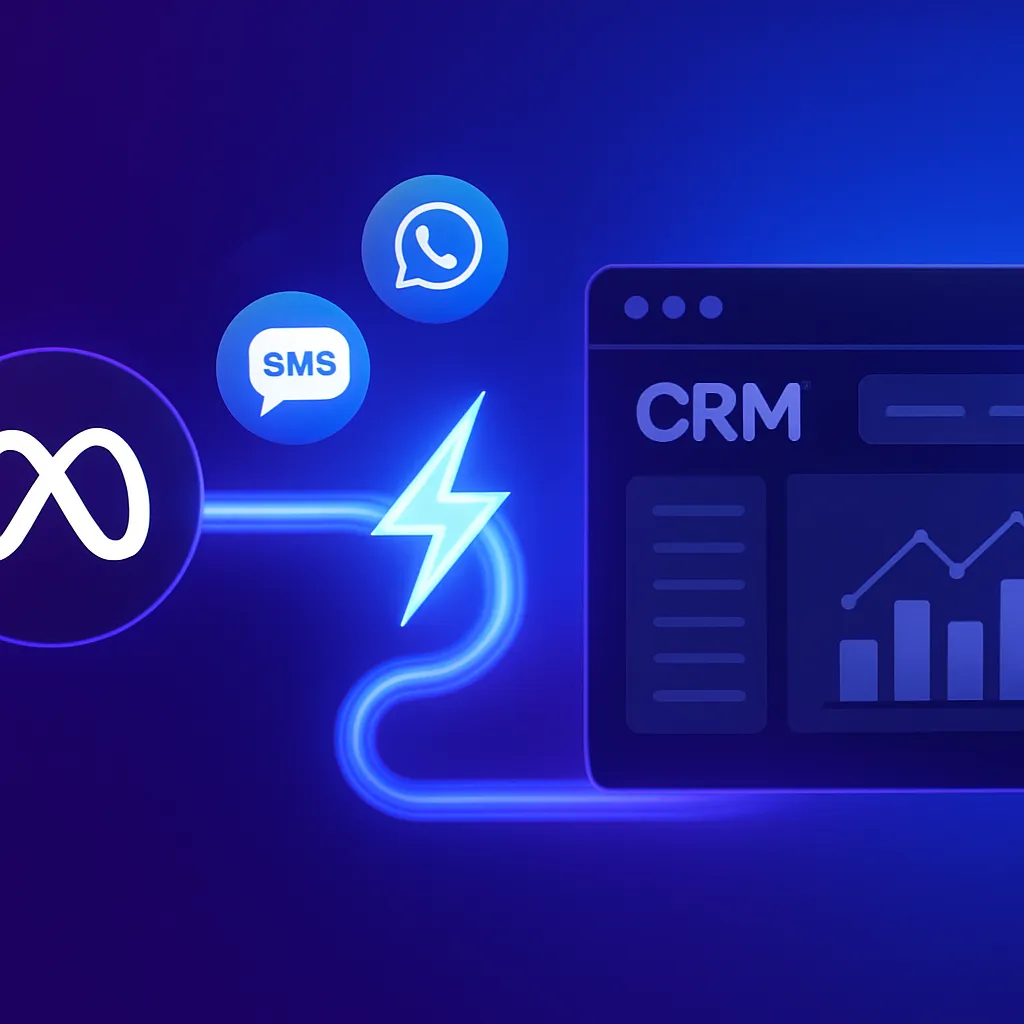
When you connect Meta Ads to RevMax AI CRM, the data flow happens in real time. Here is the technical process explained in plain language:
- Lead submits the Facebook or Instagram Lead Ad form — their name, phone number, email, and any custom questions you added are captured by Meta.
- Meta pushes the lead data to RevMax AI via the native integration — this happens within seconds of the form submission, without any manual download or CSV import.
- RevMax AI creates a new contact record automatically — the lead's details, the campaign name, the ad set, and the form name are all stored and attributed correctly.
- An automation workflow is triggered immediately — this workflow sends a personalised WhatsApp message, SMS, or email to the lead within 60 seconds.
- The AI Employee takes over the conversation — it qualifies the lead through a structured WhatsApp or SMS dialogue, asking custom questions and logging responses into the CRM.
- The lead is scored and moved to the correct pipeline stage — Hot, Warm, or Nurture — and the relevant team member receives an internal notification.
Step-by-Step: Setting Up the Meta Ads to RevMax AI Integration
Step 1: Connect Your Facebook Business Account to RevMax AI
In your RevMax AI dashboard, navigate to the integrations section and connect your Facebook Business Manager account. This authorises RevMax to receive lead data from your Meta Ads campaigns in real time.
Step 2: Select the Lead Forms to Sync
Choose which Facebook pages and specific lead ad forms you want to sync to RevMax AI. You can connect multiple forms from multiple campaigns simultaneously, and each can trigger a different automation workflow if needed.
Step 3: Map the Form Fields to CRM Fields
Map each question in your Facebook Lead Ad form to the corresponding field in RevMax AI. For example, the phone number field maps to the contact's mobile number, the location question maps to a custom CRM field, and any custom qualification question maps to a note or tag.
Step 4: Build Your Instant Follow-Up Workflow
Create an automation workflow in RevMax AI that triggers when a new lead arrives from your Meta Ads integration. The workflow should include: an immediate WhatsApp message (within 60 seconds), a follow-up SMS if no WhatsApp response within 10 minutes, an internal notification to the assigned team member, and an automatic tag applied to identify the lead's source campaign.
Step 5: Configure the AI Employee for Qualification
Set up the AI Employee to handle the qualification conversation via WhatsApp. Define the questions you want asked, the acceptable responses, and the logic for scoring the lead based on answers. The AI handles this conversation automatically and logs everything in the CRM.
Step 6: Test the Full Flow
Run a test lead through your Facebook Lead Ad form and verify the entire sequence: lead captured in RevMax, WhatsApp message sent within 60 seconds, AI qualification conversation initiated, lead scored and pipeline stage updated, team notification sent.
What Your Follow-Up Message Should Say
The first automated WhatsApp message a Meta Ads lead receives must be warm, specific, and action-oriented. Here is a structure that works well for Chennai businesses:
- Acknowledgement: Confirm you received their inquiry and reference the specific service or offer from the ad.
- Value statement: One line on what they can expect from your business.
- Clear next step: Either ask a qualifying question, share a helpful link, or offer a specific time for a call.
- Human tone: The message should feel like it came from a knowledgeable team member, not a robot.
RevMax AI allows you to personalise these messages using the lead's first name, the specific campaign, and any custom field captured in the form.
Meta Ads Lead Follow-Up: Timing Strategy
| Time After Lead Arrival | Automated Action |
|---|---|
| 0 to 60 seconds | Personalised WhatsApp message sent automatically |
| 10 minutes (if no response) | Follow-up SMS sent |
| 1 hour (if no response) | Second WhatsApp message with a different angle or offer |
| 24 hours (if no response) | Re-engagement message with social proof or testimonial |
| Day 3 | Value-add message with helpful content or case study |
| Day 7 | Soft close message with a specific call to action |
| Day 14+ | Long-term nurture sequence continues at lower frequency |
What This Integration Delivers for Chennai Businesses
- Zero manual lead transfer: No more downloading CSVs or copy-pasting lead details from Facebook.
- 100 percent lead capture rate: Every form submission enters the CRM automatically regardless of time or day.
- Instant response every time: No lead ever waits more than 60 seconds for a first message.
- Full campaign attribution: The campaign, ad set, and form that generated each lead are recorded in the CRM.
- Measurable follow-up ROI: You can see exactly how many Meta Ads leads converted to appointments, proposals, and sales.
Frequently Asked Questions
Does RevMax AI work with both Facebook and Instagram Lead Ads?
Yes. RevMax AI integrates with Meta's Lead Ads system which covers both Facebook and Instagram. Any lead form submitted on either platform is captured and processed through the same automation workflow.
Can I have different follow-up workflows for different ad campaigns?
Yes. In RevMax AI, you can create separate automation workflows for each campaign or each form. A real estate lead ad can trigger a different follow-up sequence than a healthcare inquiry form, for example.
What if the lead's WhatsApp number is different from their Facebook number?
RevMax AI sends the follow-up to the phone number captured in the lead form. You can also add a question in your Facebook Lead Ad form specifically asking for the WhatsApp number to ensure accuracy.
How does this integration improve Meta Ads ROI?
By ensuring instant, consistent follow-up on every lead, the integration converts more of your existing ad-generated leads into customers. You get more revenue from the same ad spend, which directly improves your cost per acquisition and overall campaign ROI.
Related Reading
- Why Every Google Ads Campaign Needs a CRM to Convert More Leads
- Best CRM for Digital Marketing Agencies in Chennai (2026 Guide)
- Lead Generation in Chennai: Why Most Businesses Lose Leads Without a CRM
- How RevMax CRM Helps Digital Marketing Agencies Manage Leads, WhatsApp, and Follow-Ups
- How Digital Marketing Companies in Chennai Can Automate Lead Management with AI CRM
Connect Your Meta Ads to RevMax AI Today
Stop losing Meta Ads leads to slow follow-up. RevMax AI connects directly to your Facebook and Instagram Lead Ads and triggers instant, personalised WhatsApp follow-up on every single lead the moment they submit. Visit RevMax AI to explore the integration and see a live walkthrough.
Need experts to set up your Meta Ads to CRM integration, build your follow-up automations, and manage your campaigns? Visit Revenue Mastery Consulting for a free strategy consultation. We implement end-to-end Meta Ads and CRM automation systems for businesses across Chennai and Tamil Nadu.