
Best Affordable WhatsApp Automation Tools in India (2026 Guide)
WhatsApp Automation, CRM, Small Business India, Chennai
What's the Best WhatsApp Automation Tool That Won't Break the Bank?
Tired of overpaying for WhatsApp tools that underdeliver? This is an honest, practical guide for Indian small business owners to find the best WhatsApp automation tool for your stage and budget — without wasting money on features you’ll never use or tools that don’t work well in India.
Picture this: it’s Saturday night in Chennai. You’ve finally sat down with your laptop to “sort out this WhatsApp automation thing” once and for all. Five tabs are open — WATI, Interakt, some AI chatbot you saw on Instagram, a Twilio pricing page, and a random “lifetime deal” someone forwarded on WhatsApp. Two hours later, your tea is cold, your head is spinning, and you’re more confused than when you started. Sound familiar?
You’re not alone. Most Indian small business owners I speak to at RevMax in Chennai tell me the same story: they know WhatsApp is where their customers are, they know they need automation, but every tool claims to be the best WhatsApp automation tool — and none of the comparison articles feel honest or practical.
📌 Immediate Answer: Instead of yet another “15 tools you must try” list, this guide gives you a clear, expert-level framework to evaluate any WhatsApp automation software — so you can choose the right tool for your business in Chennai or anywhere in India, without guesswork.
We’ll still mention specific tools like Interakt, WATI, Respond.io, AiSensy, and of course RevMax, but only to explain how to think about them — not to push an affiliate list. By the end, you’ll know exactly which category of tool fits you, what to demand from any vendor, and why the “cheapest” option often becomes the costliest mistake.
First, What Does “Best” Actually Mean for Your Business?
When founders ask, “Which is the best WhatsApp automation tool?” they usually mix up three very different ideas:
Cheapest: Lowest monthly subscription on the pricing page.
Most features: Longest checklist of AI, omnichannel, and “enterprise” capabilities.
Most popular: The tool everyone on YouTube or in your WhatsApp groups keeps talking about.
None of these, by themselves, mean “best”. For a 6‑person interior design firm in Anna Nagar, “best” might mean more qualified enquiries with less manual follow-up. For a 15‑person dental chain in Velachery, “best” might mean fewer no-shows and better recall campaigns. For a coaching academy in Coimbatore, “best” might mean higher conversion from webinar registrations to paid students.
💡 Pro Tip: Before you even look at tools, write down in one sentence: “In the next 90 days, WhatsApp automation should help us achieve ________.” More leads? Higher conversion? Faster follow-up? That sentence becomes your north star.
The Three Traps Businesses Fall Into When Choosing Tools
Trap 1: Confusing “Cheapest” with “Most Affordable”
A tool that charges ₹999/month looks tempting compared to one at ₹2,999/month. But if the ₹999 tool doesn’t integrate with your CRM, can’t automate proper follow-ups, and forces your team to copy‑paste data into Excel every day, it’s not actually cheaper — you’re just paying the difference in time, errors, and lost revenue.
Truly affordable WhatsApp automation in India means: “For every ₹1 we spend, how much extra revenue or time savings do we get back?” Not “Which subscription number looks smallest on the pricing page?”
Trap 2: Falling for Feature Overload
Many platforms proudly show 50+ features: AI agents, omnichannel inbox, voice notes, sentiment analysis, advanced routing, web chat, Facebook, Instagram, and more. These are powerful — and tools like Respond.io or higher tiers of WATI genuinely shine for larger teams with dedicated ops staff.
But if you’re a 5–20 person services business in Chennai, you probably need just:
A smart WhatsApp chatbot that can answer FAQs and qualify leads,
Automatic follow-ups for enquiries, appointments, and abandoned carts, and
Clean reports showing which campaigns and agents actually convert.
Paying for enterprise bells and whistles you’ll never touch is not “best” — it’s waste. The best tool is the one your team can use confidently within the next 30–60 days, not the one with the longest sales page.
Trap 3: Copy‑Pasting Other People’s Choices
“My friend runs a D2C brand, they use Interakt, so I’ll also use that.” Or “A YouTube creator said WATI is the best WhatsApp Business API tool, so that must be it.” The issue? Their business model, ticket size, team size, and tech comfort might be completely different from yours.
What works beautifully for a 50‑person e‑commerce brand may be overkill for a 7‑person consulting firm in T. Nagar — or totally insufficient for a multi‑location healthcare chain in Tamil Nadu. “Best” is contextual, not universal.
📌 Key Takeaway: Define “best” in terms of your revenue goals, team capacity, and customer journey. Once you do that, 80% of tools can be safely ignored — and the right 2–3 options become obvious.
What to Look For in a WhatsApp Automation Tool — Non‑Negotiables
No matter which category of tool you choose, there are a few things that should be absolutely non‑negotiable. If a platform fails on any of these, walk away — even if it’s cheap or looks like an amazing lifetime deal.
Official WhatsApp Business API access
Real CRM integration (or built‑in CRM)
Multi‑step automation flows, not just auto‑replies
Clear analytics and reporting
Smooth human handoff from bot to team
Indian payment and billing support
1. Official WhatsApp Business API (No Hacks, No Bans)
Meta is very clear: if you use unofficial browser‑based tools that simulate clicks on WhatsApp Web, your number can be banned without warning. Reputable providers like WATI, Interakt, AiSensy, and full‑stack platforms are built on the official Meta Cloud API and follow Meta’s conversation‑based pricing in India (see references such as greenbubble.io and whautomate.com).
⚠️ Warning: If a vendor says, “No need for WhatsApp Business API, we just connect your normal WhatsApp,” that’s a red flag. You’re risking your primary business number for short‑term savings.
2. Deep CRM Integration (Not Just a Spreadsheet Export)
WhatsApp automation without CRM is like running a shop without a billing system. You might still sell, but you’ll never know:
Which campaigns bring the highest‑value customers,
Which salespeople actually close deals, and
Which leads are being ignored or delayed.
A serious tool should either have a built‑in CRM (like RevMax or TimelinesAI) or integrate cleanly with your existing CRM. That means automatic lead capture, tagging, stage updates, and activity tracking — not just CSV exports once in a while. This is where WhatsApp CRM integration in India becomes the difference between a “nice chatbot” and a proper revenue engine.
3. Multi‑Step Automation Flows (Not Just Auto‑Replies)
A simple auto‑reply — “Thanks, we’ll get back to you” — is not automation. You need flows that can:
Ask qualifying questions (budget, location, requirement, timeline),
Branch based on answers (different flows for high‑budget vs low‑budget leads, new vs repeat customers), and
Trigger follow‑ups automatically (e.g., send a reminder 24 hours later if the customer hasn’t replied).
Platforms like WATI, Respond.io, and full‑stack tools such as RevMax offer visual flow builders that make this possible without writing code. If a tool only supports basic welcome messages and FAQ replies, you’ll outgrow it within months.
4. Clear Analytics and Reporting
You can’t improve what you don’t measure. At minimum, your WhatsApp automation tool should show:
Campaign performance: delivered, read, replied, converted.
Agent performance: response times, closure rates, handover quality.
Funnel performance: where people drop off in your chatbot journey.
Without this, you’re just “doing WhatsApp marketing” with no idea whether it’s actually working or not.
5. Smooth Human Handoff from Bot to Team
Even the smartest AI chatbot cannot close every sale. At some point, a human has to step in — especially for high‑ticket or customised services. Your tool must support:
Assigning conversations to specific agents or teams,
Internal notes and tags for context, and
Easy switching between bot mode and human mode without confusing the customer.
Meta’s latest policies also restrict general‑purpose AI chatbots on WhatsApp (see coverage like techradar.com), so platforms must focus on business‑specific flows and smooth human collaboration — not just “ChatGPT on WhatsApp”. If you’re worried about sounding too robotic, read our guide on using AI on WhatsApp Business the right way.
6. Indian Payment and Billing Support
As an Indian small business, you shouldn’t fight with dollar invoices, fluctuating exchange rates, or international cards just to pay for your WhatsApp tool. Look for:
INR pricing and GST‑compliant invoices,
UPI, net banking, or Indian card support, and
Local support hours that match IST.
Tools like Interakt, AiSensy, and many India‑focused BSPs already offer this (see comparisons like AiSensy and Cleomitra). RevMax is built with the same mindset for Indian businesses — especially those in Chennai and Tamil Nadu who want local support plus global‑grade tech.
The Hidden Cost of Cheap Tools
Let’s talk money. Many “affordable” WhatsApp tools in India start at ₹500–₹1,500/month (for example, WhatsBizAPI, ChatYug, AiSensy). On paper, that looks great. But they usually do only one part of the job — typically messaging or basic chatbot flows.
When Cheap Tools Become Expensive Problems
Here’s what often happens with “cheap” tools:
You get WhatsApp broadcasts, but no CRM — so you add a separate CRM like HubSpot or Zoho.
You need email or SMS for proposals and reminders — so you add another tool like Mailchimp or Sendinblue.
You want dashboards — so you add Google Sheets plus some reporting add‑on or BI tool.
You need everything to talk to each other — so you pay for Zapier/Make or a freelancer to stitch it together.
What started as a ₹999/month “deal” quietly becomes a stack of 4–5 tools, each with its own invoice, learning curve, and failure points.
The Integration Tax (Why ₹12,000+/Month Disappears Without You Noticing)
Let’s take a realistic example. Imagine you run a 10‑person interior design firm in Chennai. You choose a “cheap” WhatsApp tool at ₹1,000/month because it promises unlimited broadcasts. But you also need:
A basic CRM at ₹1,500/month to track leads and deals,
An email tool at ₹1,000/month for proposals and reminders,
Zapier or Make at ₹1,200/month (or a freelancer at ₹8,000–₹12,000 one‑time) to connect these platforms.
Component“Cheap Stack” (Multiple Tools)Full‑Stack Platform (e.g., RevMax)WhatsApp Messaging Tool₹1,000/monthIncludedCRM₹1,500/monthIncludedEmail/SMS Tool₹1,000/monthOften included or natively integratedAutomation Connector (Zapier/Make)₹1,200/monthNot requiredReporting/Analytics Add‑ons₹1,000+/month or manual sheetsIncluded dashboardsTeam Time Fixing Sync Issues1 hour/day ≈ ₹13,000/month (for a ₹500/hour coordinator)Significantly lower (single system)Total Monthly Cost (Approx.)₹17,700+ (software + labour)Often less than half once you factor in time saved
Even if you ignore time, the integration tax of running separate tools is easily ₹12,000+ per month for many SMEs once you include extra software, setup, and maintenance. This is why a slightly higher‑priced, full‑stack platform can actually be more affordable than a bundle of cheap tools bolted together.
Types of WhatsApp Automation Tools Available in India
When you look at the market — from Interakt and WATI to Respond.io, Hyperleap AI, and Indian‑focused players like AiSensy or ChatYug — most tools fall into three broad categories. Understanding these makes any WhatsApp chatbot tool comparison much easier, especially if you’re doing a WhatsApp automation software comparison in Chennai, Tamil Nadu and want something that fits local realities.
Standalone WhatsApp Chatbot Tools
These tools mainly focus on building chatbots and sending campaigns on WhatsApp. They may offer a simple inbox, but CRM and advanced automation usually require integrations. Examples include some plans of TBit, Kiwuuu, or basic tiers of ManyChat and Tidio when used primarily for WhatsApp.
Good for: Very small teams testing WhatsApp automation for the first time.
Limitations: Weak CRM, limited analytics, more manual work, and integration headaches as you grow.
WhatsApp Plus CRM Combo Tools
These platforms combine WhatsApp messaging with a built‑in CRM or strong CRM integrations. They’re designed for sales and support teams that live inside a shared inbox. TimelinesAI, Interakt, and some implementations of Respond.io fall into this category.
Good for: Growing SMBs with 3–15 sales/support agents who need structured conversations and basic pipelines.
Limitations: May still require extra tools for email campaigns, advanced marketing automation, or deep analytics.
Full‑Stack Business Automation Platforms
These are built around a business automation framework rather than just messaging. They bring together WhatsApp, CRM, workflow automation, AI, email/SMS (where needed), and rich analytics into one platform. RevMax sits in this category, along with a few global players like Happilee or Respond.io at the higher end of the market (see overviews like happilee.io and noupe.com).
Good for: Serious growth‑focused SMEs that want predictable, scalable revenue — not just “more messages”.
Limitations: Slightly higher monthly fee and 2–3 hours of initial setup — but far lower integration tax and manual work later.
Tool TypeProsConsBest ForStandalone ChatbotLow entry price, quick to start, basic automation and broadcasts.Weak CRM, limited analytics, more manual work, integration headaches.Very small teams testing WhatsApp for the first time.WhatsApp + CRM ComboGood balance of inbox + basic CRM, better team collaboration.May still need extra tools for marketing automation and deep analytics.Growing SMBs with 3–15 sales/support agents.Full‑Stack PlatformOne dashboard for WhatsApp, CRM, automation, analytics; fewer tools and logins.Slightly higher monthly fee; requires 2–3 hours of initial setup.Serious growth-focused SMEs wanting predictable, scalable revenue.
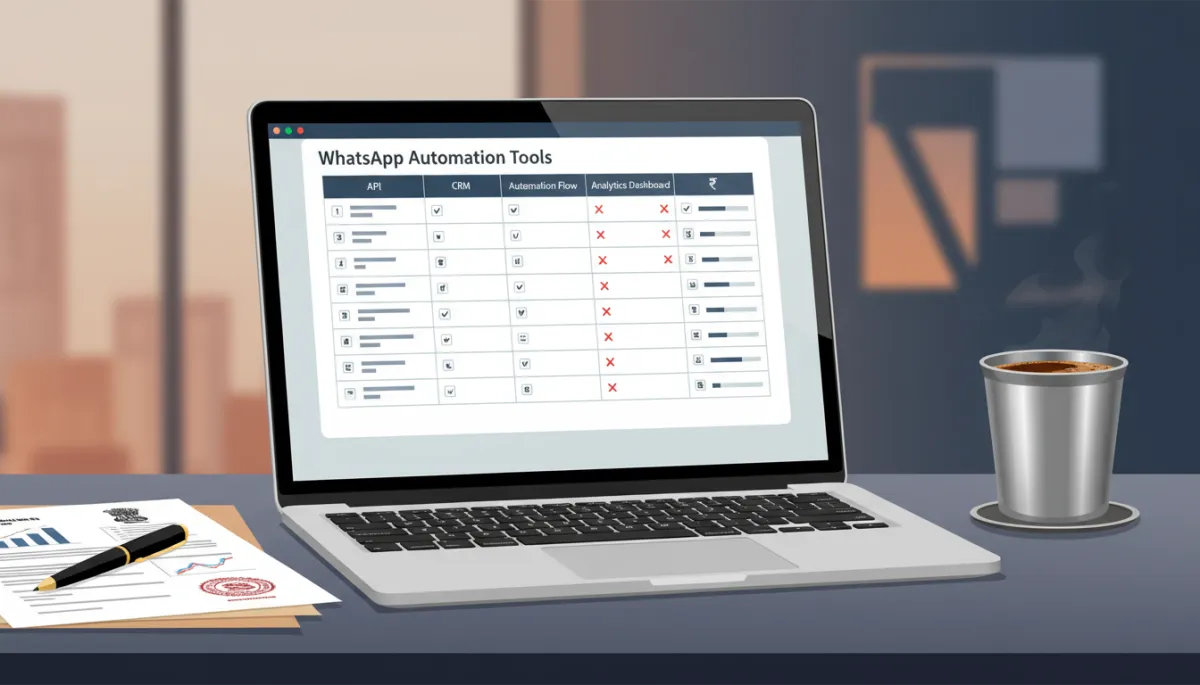

A full-stack WhatsApp automation dashboard turns every conversation into measurable revenue.
Tool Comparison Table: Features vs Tool Category
Use this high‑level comparison to see how different categories usually perform across key features. Individual tools may vary, but the pattern is consistent across the Indian market.
Feature / CapabilityStandalone ChatbotWhatsApp + CRM ComboFull‑Stack Platform (e.g., RevMax)Official WhatsApp Business APIOften yes, some noYesYes (standard)Built‑in CRMNo or very basicBasic to moderateFull pipeline, tasks, notesMulti‑step Flow BuilderLimited logicGood branching optionsAdvanced, tied to CRM dataBroadcast & CampaignsYes, basicYes, with segmentsYes, with smart targetingTeam Inbox & AssignmentLimitedGood shared inboxShared inbox + full contextAnalytics & DashboardsBasic counts onlyChannel‑level reportsRevenue, funnel, agent, campaign viewsEmail/SMS IntegrationUsually external toolsSome integrationsNative or tightly integratedAI‑Assisted Replies/WorkflowsBasic, template‑drivenModerate AI featuresAI tied to CRM & historyIndian Billing & GSTMixed; some USD onlyOften yesYes, INR + GST (RevMax)Onboarding TimeFast, but shallowModerate2–3 hours for full systemTypical Monthly Cost (Software Only)₹500–₹1,500₹1,500–₹5,000₹3,000–₹8,000 (replaces multiple tools)Total Cost of Ownership (With Integrations)High as you add toolsMediumLowest for serious users
Why Full‑Stack Platforms Win for Small Businesses
If you’re just experimenting, a standalone chatbot might be enough. But if you’re serious about scaling your business over the next 12–24 months, full‑stack platforms give you three advantages that are hard to ignore.
One Login, One Dashboard, One Bill
Instead of hopping between a WhatsApp tool, a CRM, Google Sheets, and reporting tools, your entire team works from a single interface. Every conversation, lead, deal, and campaign lives in one place. This:
Reduces errors and lost leads,
Speeds up training for new staff, and
Makes management reviews and daily stand‑ups far easier.
No Integration Headaches
Because WhatsApp, CRM, and automation are built together, you don’t have to worry about broken zaps, API limits, or data not syncing. You avoid the ₹12,000+ per month integration tax we discussed earlier, and your team can focus on selling and serving customers instead of troubleshooting tools.
Better Data, Better Decisions
When all your data lives in one system, you can build smarter automations — like automatically increasing follow‑up intensity for high‑value leads, or triggering a retention sequence when a customer hasn’t purchased in 60 days. AI and analytics actually become useful because they see the full picture, not just isolated WhatsApp messages.

What Makes RevMax the Smart Choice for Indian Businesses
RevMax is a CRM and AI automation platform built in Chennai, Tamil Nadu, specifically for Indian service businesses and high‑touch B2B/B2C brands. We designed it after working with dozens of founders who were frustrated with juggling multiple tools and not seeing a clear ROI from their WhatsApp efforts.
Built for the Indian Market
INR pricing and GST invoices: No surprise USD charges, clean books for your CA.
Local support in IST: Talk to humans who understand your context, not just tickets in another time zone.
Indian buying behaviour built‑in: Playbooks for multiple follow‑ups, family decision‑making, price sensitivity, and more.
You can explore the platform at studio.revmaxapp.com, browse the full feature set here: RevMax Features, and see exactly how the flows work in our live demo and How It Works walkthrough.
Complete System, Not Just Another Tool
At its core, RevMax combines:
Official WhatsApp Business API access,
A robust CRM with pipeline stages, tasks, and notes,
AI‑assisted automation flows for follow‑ups, reminders, and nurturing, and
Analytics that show revenue impact, not just message counts.
Instead of just “sending more messages”, RevMax helps you convert more of your existing enquiries into paying customers — without feeling robotic or spammy. If you’re worried about tone, our guide on using AI on WhatsApp Business the right way shows exactly how we balance automation with human warmth.
💡 Pro Tip: Think of RevMax as your revenue operating system — WhatsApp, CRM, automation, and analytics all aligned to one goal: predictable growth.
Affordable Without Cutting the Wrong Corners
RevMax is not the absolute cheapest tool on the market — and that’s intentional. Instead, we focus on being the most affordable WhatsApp automation in India once you factor in:
Fewer tools to buy and integrate,
Less manual work for your team, and
Higher conversion rates from the same marketing spend.
In our internal benchmarks, businesses switching from a “cheap + many tools” stack to RevMax typically save several hours per week in admin work and gain 10–30% more revenue from the same number of WhatsApp leads. You can dig deeper into the numbers in our post on WhatsApp automation pricing for small businesses in India.
How to Evaluate Any WhatsApp Tool Before You Buy
Whether you choose RevMax or any other platform, use this checklist to avoid nasty surprises after signing up.
The 5 Questions to Ask on Every Sales Call
“Are you using the official WhatsApp Business API?”
If the answer is vague or they talk about “extensions” and “desktop automation”, walk away.“How does your tool handle CRM and lead tracking?”
Look for automatic lead creation, tagging, and pipeline movement — not just exports or manual updates.“What will my total monthly cost be at my expected volume?”
Include Meta conversation charges, platform fees, add‑ons, and any per‑agent or per‑contact costs. Remember that some tools, especially global ones, charge in USD and can get expensive quickly (see examples like kiwuuu.com).“Can I set up my main flows without a developer?”
If every small change requires tech help, your automation will stagnate. Look for visual builders and good onboarding. If you’re non‑technical, our guide on setting up WhatsApp automation without a developer will help you evaluate this properly.“How do you support Indian businesses specifically?”
Ask about INR billing, GST, local support hours, and case studies from Indian clients. Also check their presence on Instagram and LinkedIn to see real examples and education content.
Red Flags to Watch Out For
No mention of official API or BSP status. If they don’t clearly say they use Meta’s official API, assume they don’t.
Very low “lifetime deals”. Sustainable WhatsApp automation requires ongoing server, compliance, and support costs. Unrealistic one‑time deals often mean corners are being cut or the product won’t last.
No clear roadmap or education. Serious vendors invest in content, guides, and frameworks — not just flashy landing pages. Look for a clear “how it works” section or similar.
Overpromising on AI. If a tool claims “100% AI, no humans needed”, be careful. Meta’s policies and real‑world customer expectations make this unrealistic for most Indian businesses in 2026.
Hidden add‑ons. Some platforms charge separately for basic features like additional agents, templates, or even analytics. Always ask for a sample invoice at your expected usage level.
Frequently Asked Questions About WhatsApp Automation Tools
1. Is WhatsApp automation even worth it for a small business?
If most of your enquiries come through WhatsApp — which is true for many Indian businesses now — then yes, it’s one of the highest‑ROI investments you can make. Even basic automation that responds instantly, qualifies leads, and sends reminders can recover deals you’re currently losing due to slow replies or missed messages. The key is to implement it in a human, respectful way, not as spam. Our article on using AI on WhatsApp Business the right way covers this in depth.
2. What’s the difference between WhatsApp Business App and WhatsApp Business API tools?
The free WhatsApp Business App is great for solo founders or very small teams. It supports quick replies and basic labels, but no advanced automation, multi‑agent inbox, or CRM integration. The WhatsApp Business API (which tools like RevMax, WATI, Interakt, and others use) allows full automation, shared inboxes, and integration with your systems — but you access it through a provider, not directly in the app. If you’re handling more than 20–30 enquiries a day, you should seriously consider an API‑based solution.
3. How much should a small business in India budget for WhatsApp automation?
For most Indian SMEs, a realistic starting budget is ₹2,000–₹8,000/month, depending on your volume and whether you choose a standalone tool or a full‑stack platform. Remember that Meta’s conversation charges are similar across providers (see whautomate.com); the big differences are in platform fees, features, and how many extra tools you need to bolt on. Our detailed breakdown of WhatsApp automation pricing for small businesses in India explains this range in depth.
4. Can I set up a WhatsApp chatbot without a developer or IT team?
Yes — if you choose the right platform. Many modern tools, including RevMax, offer visual flow builders where you can drag‑and‑drop questions, conditions, and actions. You still need to think through your customer journey, but you don’t need to write code. If you’re non‑technical, start with our step‑by‑step guide to setting up WhatsApp automation without a developer.
5. Is RevMax only for businesses in Chennai and Tamil Nadu?
No. While RevMax is headquartered in Chennai and many of our earliest customers are from Tamil Nadu, we work with businesses across India. Being local simply means we understand Indian buying psychology, support expectations, and payment preferences better — which we then bake into our templates, playbooks, and support experience. You can learn more about our approach at revmaxapp.com.
Conclusion: So, What’s the Best WhatsApp Automation Tool That Won’t Break the Bank?
There isn’t one universal winner. For some, a basic Indian BSP with simple automation will be enough. For others, a heavy‑duty omnichannel platform like Respond.io makes sense. But if you’re an Indian small or mid‑sized business that:
Gets most of your leads on WhatsApp,
Wants automation that feels human, not robotic, and
Doesn’t want to pay the hidden ₹12,000+ integration tax every month,
…then a full‑stack platform like RevMax will almost always be the most affordable choice in the long run — even if its monthly fee looks slightly higher than a standalone chatbot at first glance. You save on extra tools, save on developer costs, and most importantly, you save deals that would otherwise quietly slip away.
Don’t just compare features. List your top three business outcomes for the next 90 days — more leads, higher conversion, faster follow‑up — and choose the tool that gives you the clearest, simplest path to those outcomes.
If you’d like to see how RevMax can fit into your growth plan, take a quick tour of our live demo or explore the features in detail. For a deeper understanding of our approach, check out the How It Works page, and follow our education‑first content on Instagram and LinkedIn.
Choose wisely, automate thoughtfully, and let WhatsApp become a predictable revenue channel for your business — not another headache on your to‑do list.
Author: Avinash N U